
Choose your language, formats and time zone
Open your settings and choose Preferences. Each option saves as soon as you pick it, and follows you to every device you sign in from.
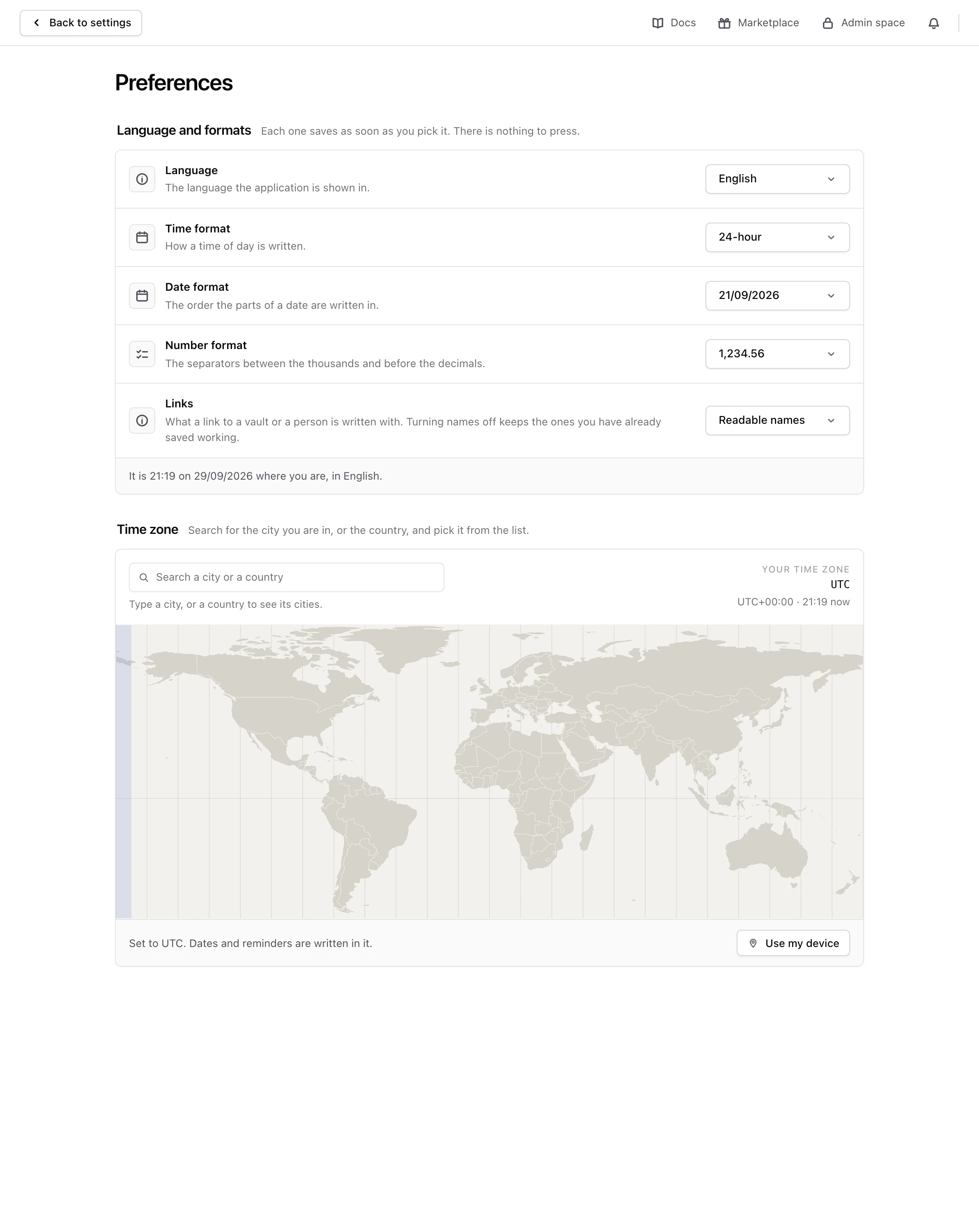
Language and formats#
- Language is the language Monica is shown in. Monica speaks 31 languages. The names of your contacts are also sorted the way that language sorts them.
- Time format is 24-hour, as in 14:00, or 12-hour, as in 2:00 PM.
- Date format decides the order of the day, the month and the year. The list shows each choice as an example date, such as 21/09/2026. The first one follows the usual order of your language.
- Number format decides the separators in a number. The list shows each choice as an example, such as 1,234.56. The first one follows your language.
- Links decides what the address of a vault or a person is written with: Readable names, such as
/vaults/personal/contacts/rachel-green, or Identifiers, a string of letters and digits that never changes with a name. Addresses you already saved keep working either way.
The line at the foot of the section shows the time and the date as Monica will write them.
Time zone#
Search for the city you are in, or its country, and pick it from the list. You can also click the map, or choose Use my device to take the time zone your browser reports.
Your time zone decides how dates and times are written for you. It does not move the reminders you already set: each keeps the time zone it was created with, as How reminders reach you explains.
The list of vaults#
When you sign in, Monica shows Your vaults, with one card for each of your vaults. If you keep everything in one vault, that list holds a single card you open every time.
In Vaults, turn off Show the list of vaults to skip it. Signing in, clicking the logo and leaving the settings then take you straight to your default vault. To open another vault, use the vault switcher at the top of the screen, which also offers New vault.
While the list is off, your default vault cannot be deleted, since it is where Monica takes you. Its Delete this vault button is greyed out and says why. To delete it, turn Show the list of vaults back on first. Your other vaults can still be deleted. Delete a vault explains what deleting a vault removes.
If you have no vault at all, Monica shows Your vaults anyway, so you can make your first one.
The language on the sign in screen#
The language you pick on the sign in screen applies to that screen and to the rest of that visit, even over the one saved here. To change it for good, change it here.