
Record the work done on a possession
A maintenance record says what work was done on one of your possessions, by whom, and when it should be done again. Each record is one job on one copy: an inspection, a cleaning, a repair, a restoration. The list of records is the history of how the possession was looked after.
Rachel Green has her grandmother’s watch serviced by a watchmaker on 12 March 2026 for $40. It went in Worn and came back Like new, and the watchmaker asks to see it again in a year. Rachel adds one maintenance record for that job. When the watch goes back next year, she adds another.
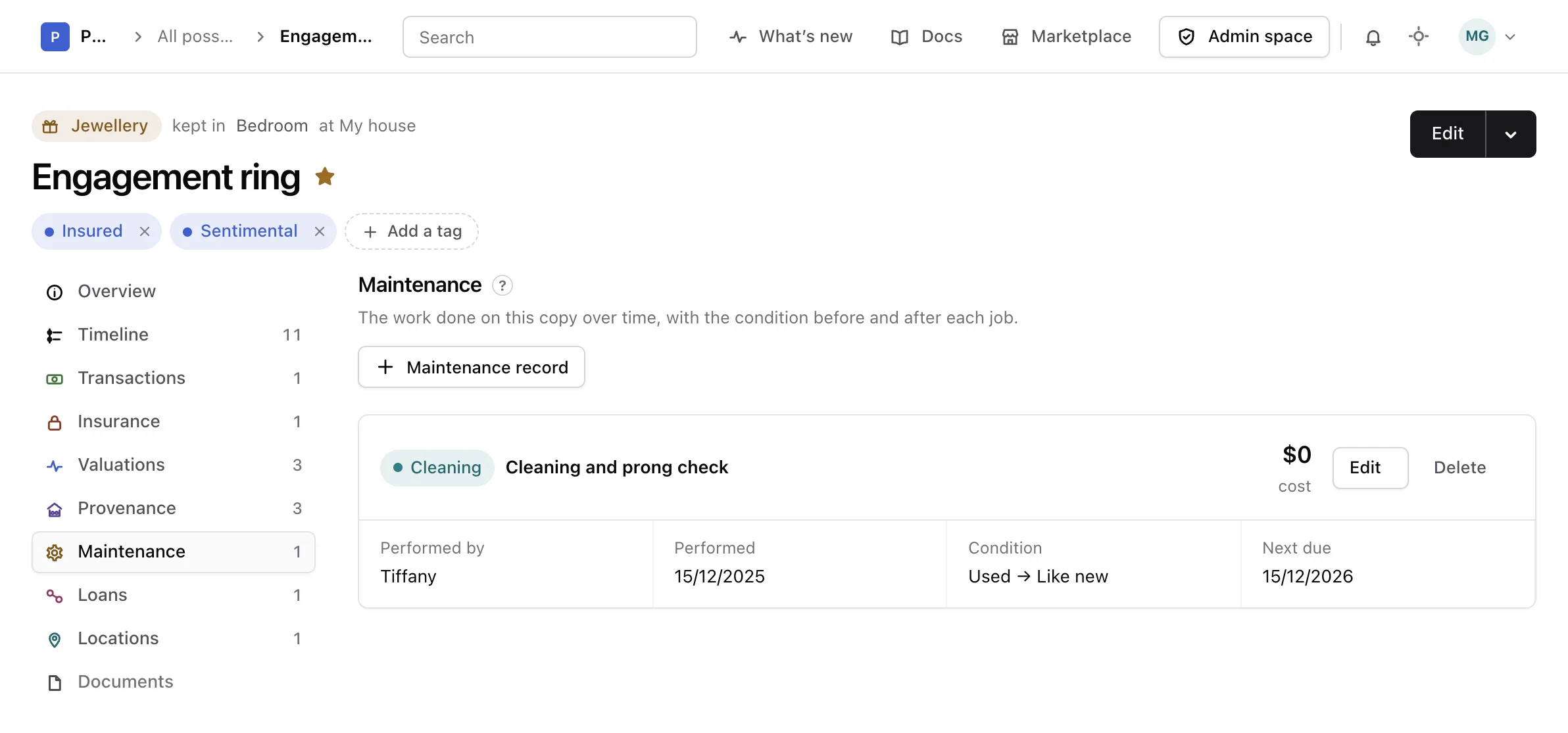
Open a possession and choose Maintenance in the list of its sections, between Provenance and Loans. The number beside it says how many records it holds.
What a record holds#
- Type: what kind of job it was. Pick one of Inspection, Cleaning, Servicing, Repair, Restoration, Part replacement, Conservation or Other. Each type has its own colour in the list.
- Title: what was done, in a few words, such as
Annual serviceorNew strap. - Performed by: the person or the workshop who did the job, written as text.
- Performed: the day the job was done. It cannot be in the future.
- Cost and Currency: what the job cost. A cost needs its currency, and it cannot be below zero.
- Condition before and Condition after: the state the possession was in before and after the job. Together they show what the job changed.
- Next due: the day the job should be done again. It cannot come before the day the job was done.
- Description: what was found and what was done, in as much detail as you like.
The conditions are the ones of your account, listed in the order you gave them in Possession conditions. Rename a condition there and every record shows the new name. Delete one and the records that named it read Not recorded on that side.
The cost is kept on the record only. It is not counted in the transactions of the possession, nor in its declared value, and it is never converted to another currency. If you want the money to appear with the transactions, record a transaction too.
Add a record#
-
Open the form
In Maintenance, choose Maintenance record. The form New maintenance record opens above the list.
-
Say what was done
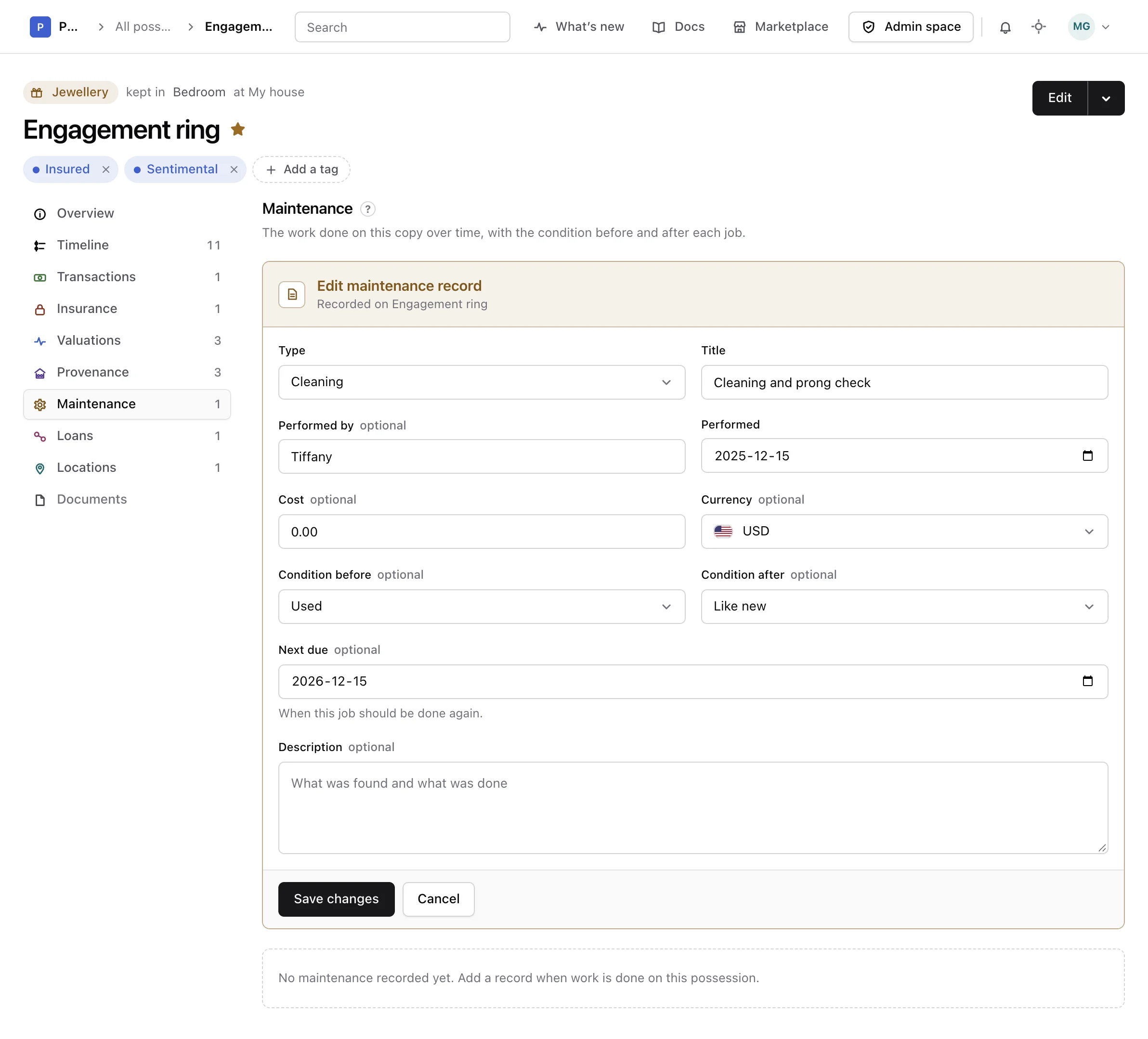
Pick a Type, write a Title, and enter the day it was Performed.
-
Add the details you have
Fill in Performed by, the Cost and its Currency, the Condition before and Condition after, the day the job is Next due, and a Description, if you know them.
-
Save it
Choose Add record. The record joins the list and the count beside Maintenance follows.
The type, the title and the day performed are required. Everything else can be left empty and added later.
Read the list#
The latest job comes first. When two jobs were done on the same day, the one you added last comes first.
Each record gives its type, its title, its cost (or No cost), who performed it, the day it was performed, the condition before and after (for example Worn → Like new), the day it is next due (or Not scheduled), and its description.
When a job is overdue#
The latest record carries an Overdue mark when its next due date has passed. A next due date of today is not overdue until tomorrow.
Only the latest record can be overdue. A later job replaces the schedule of an earlier one: if the watch was due for a service in February and Rachel had it serviced in March, the February date no longer matters, and only the date set in March counts.
Correct or delete one#
Each job is its own record. When the work is done again, add a new record rather than editing the old one, so the history stays whole.
To correct a mistake, choose Edit on the record. The form Edit maintenance record opens filled in. Change what you need and choose Save changes. The order of the list and the Overdue mark follow the change.
Warning
Deleting a record cannot be undone, and the maintenance history loses that job.
Choose Delete, read the warning, then choose Delete again, or Keep it to leave it as it was. Deleting a possession deletes its maintenance records with it.
What is not there yet#
Documents, such as an invoice or a certificate from the workshop, cannot be attached to a maintenance record yet. Write what matters from them in the description for now.
From the API or an assistant#
Maintenance records can also be listed, added, changed and deleted through the API reference and by an assistant connected as the MCP guide explains.