
Add your own life event types
A life event type names the kind of thing that happened, such as a move, a new job or a meal. Monica starts you with 40, in 8 categories such as Relationships and family and Leisure and culture. Add your own for what you record often, such as Thanksgiving dinner, and give it the fields you want to fill in each time. Record something that happened shows how types are used.
Open your settings, and under Personalisation choose Life event types. The categories are listed on the left.
Add a type#
-
Open the form
Choose Add a type.
-
Name it
Pick a mark, the icon and colour it shows on the timeline. In Name, type
Thanksgiving dinner, and choose Home and daily life in Category. A Description helps when two types could be confused.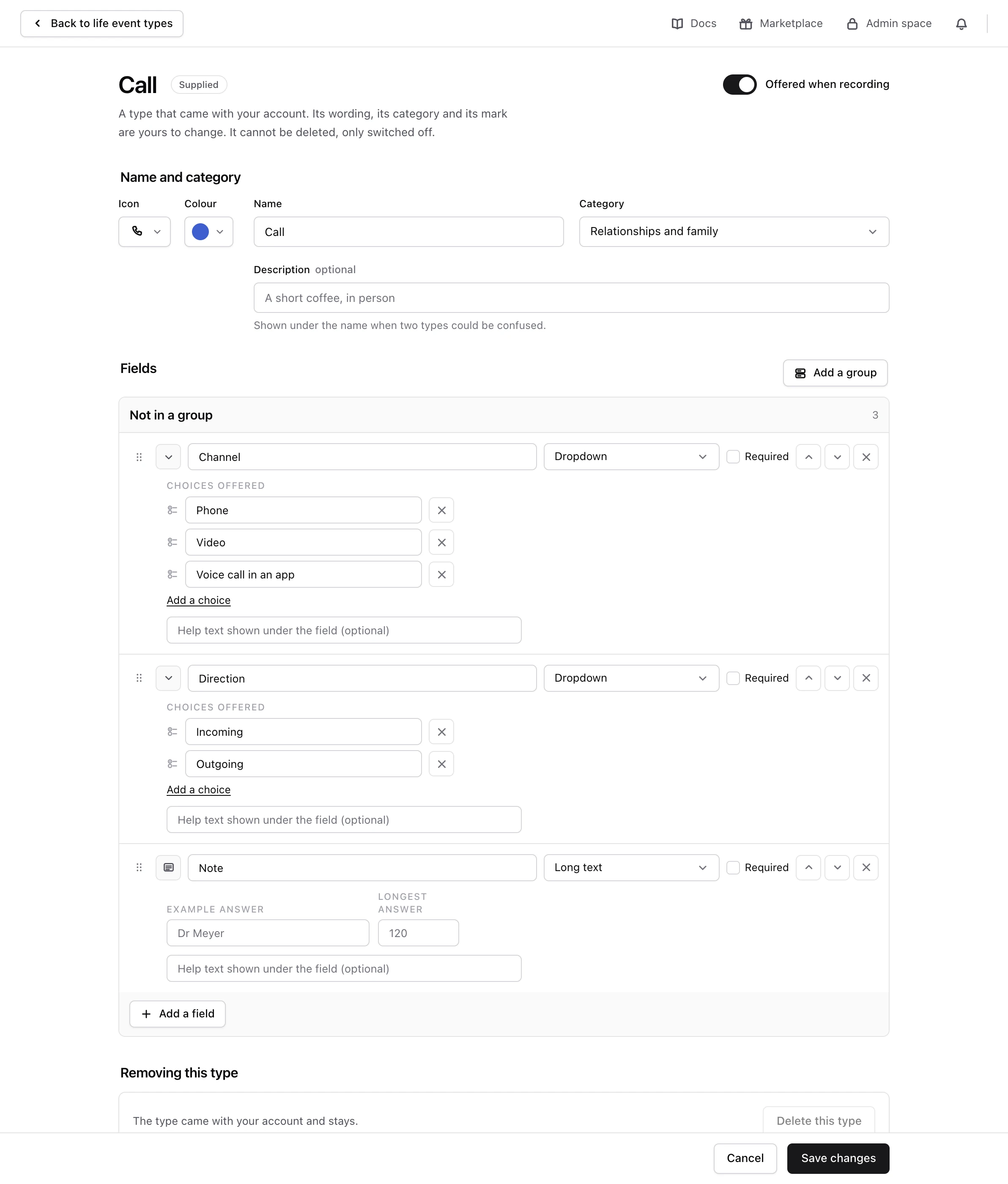
-
Add its fields
Under Fields, add what you want to be asked each time, such as
Who hosted, with Short text as the Kind of answer it takes, orDish you brought, with Dropdown. For a choice, add its wordings under Choices offered. Tick Required when a field must always be filled in. Group fields with Add a group when there are many. -
Add it
Choose Add the type.
Monica says The type is added. It is offered the next time you record a life event.
Change a type#
Choose Edit on a type to change its name, category, mark or fields. You can change the supplied types too.
Changing its fields never changes the life events already recorded: they keep the fields they were written with. Only life events you record from then on ask the new questions.
Last in touch#
Every contact page shows Last in touch: the day of the latest life event you recorded with that person. A life event counts only when its type says so. On a type, the switch Updates “Last in touch” decides it.
- A moment you share with someone, such as a Call, a Meal or a Meeting, updates it. The types that came with your account start that way.
- News about one person, such as a Move, a New job or an Illness, does not. Recording that Jim moved does not mean you saw Jim.
- A type you add updates it until you switch it off.
A life event dated in the future counts from its day. When you change the switch on a type, Monica works the date out again for everybody who took part in a life event of that type, which takes a moment.
Stop offering a type, or delete it#
- Stop offering it. On the type, switch it to Not offered when recording. It leaves the picker, and the life events recorded with it keep their type, their mark and their fields.
- Delete it. Choose Delete this type. This works only for a type you added that no life event uses. Monica refuses the others: The type came with your account and stays, or Life events were recorded with this type, so it stays.
Categories#
Choose Add a category to add one, such as Music and choir. A category only organises the list and the picker: it never changes what a type does.
- Switch off a category to stop offering all its types at once. The life events already recorded keep their type. Switch back on offers them again.
- A category you added can be deleted once it holds no type. The categories that came with your account cannot be deleted, only switched off.
Next steps#
- Record a life event with the new type.