
Record what changed hands
A transaction is a moment money or ownership changed hands for one of your possessions: the day you bought it, the shipping you paid, the inheritance that brought it to you, the sale that took it away.
Monica Geller bought a stand mixer for $299 plus $24 tax, paid $15 to have it shipped, and later paid a $40 repair fee. Recorded as transactions, the possession page tells her when she got it, what it cost her, and what it has cost since.
Open a possession and choose Transactions in the list of its sections. The number beside it says how many it holds.
Why it matters#
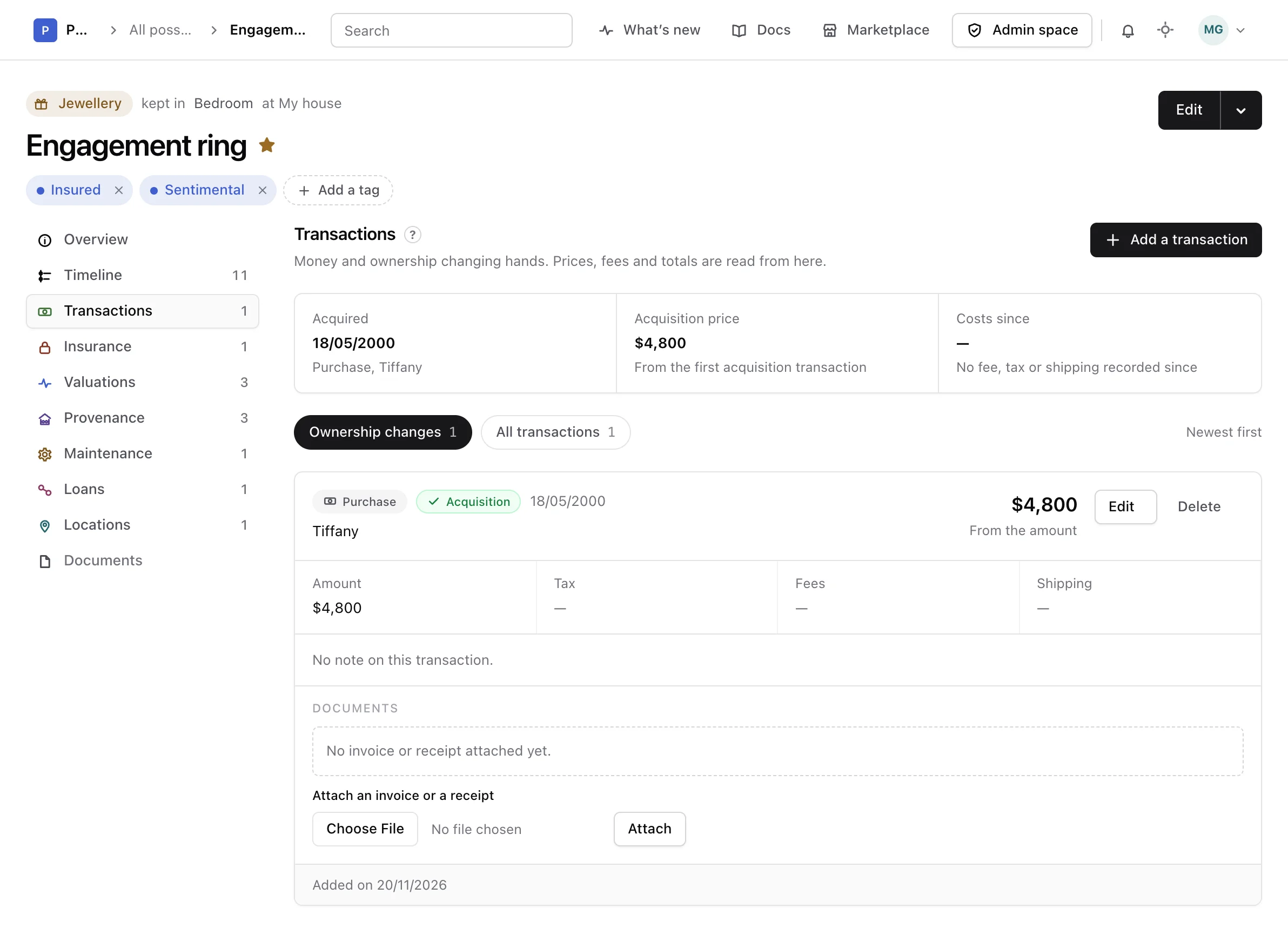
The first purchase, exchange, gift received or inheritance is the possession's acquisition. The top of the section reads it back:
- Acquired: the day, and how and from whom.
- Acquisition price: the total of that transaction, in its currency.
- Costs since: the fees, taxes, shipping and other money spent from that day on, minus any refund.
Nothing is copied onto the possession itself, so correcting the transaction corrects all three. The Overview of the possession reads its Acquired and From lines from the same transaction.
Amounts are never converted. Costs in another currency than the acquisition are left out of Costs since, and the line under it says how many were left out.
Record a transaction#
-
Open the form
In Transactions, choose Add a transaction.
-
Say what happened
Pick a Type. Purchase, sale, exchange, gift received, gift given and inheritance change who owns it; refund, fee, tax, shipping and other only move money. The next field takes a name to match, such as Seller for a purchase.
-
Enter the figures
Fill in the Amount, Tax, Fees and Shipping you know, and choose the Currency they are in. The line below adds them up as you type. Fill in Total only when the real total differs from that sum.
-
Save it
Add a date, a reference number, a link where it can be checked or a note if you like, then choose Add transaction.
Only the type is required, and a currency once you enter a figure. An inheritance remembered without a date or a price is still worth recording: it reads Date unknown and counts as the oldest.
Read the list#
The list shows the newest transaction first. Ownership changes shows the purchases, sales, gifts, exchanges and inheritances; All transactions adds the fees, taxes, shipping and refunds. Each transaction gives its total and how it was reached, its four figures, its note, its reference and link, and when it was added and last changed. The acquisition carries an Acquisition mark.
Keep the invoice or receipt#
Choose a file under Invoice or receipt while you add a transaction, or under Attach an invoice or a receipt on a transaction already recorded, then choose Attach. Each document reads its name, its kind and its size, and opens when you choose it. A document counts against the storage of your account.
To take one off, choose Remove beside it and confirm. Deleting a transaction removes its documents with it.
Correct or delete one#
Choose Edit on a transaction to open it in the form, change what you need, and choose Save changes.
Warning
Deleting a transaction cannot be undone. When it was the acquisition, the next earliest purchase, exchange, gift received or inheritance takes its place, and the warning names it before you confirm.
Choose Delete, read the warning, then choose Delete again, or Keep it to leave it as it was. Deleting a possession deletes its transactions with it. A provenance event linked to a deleted transaction stays, without the link.
Possessions recorded before transactions#
A possession recorded earlier as bought, a gift, inherited or made now holds one transaction saying so, on the date it carried, naming the person it came from. It has no figures, since none were recorded: edit it to add the price.
From the API or an assistant#
Transactions can also be listed, recorded, changed and deleted, and their documents attached and removed, through the API reference and by an assistant connected as the MCP guide explains.