
The places your things are kept in
A location is a place: a house, a room, a shelf, a box. A location can sit inside another, so the list reads as a tree, from the building down to the box on its top shelf. Locations belong to your account, so every vault sees the same ones.
Open your settings, and under Possessions choose Locations.
The locations you start with#
Your account comes with My house and five rooms inside it: Living room, Kitchen, Bedroom, Bathroom and Storage space, each with its emoji. They are written in the language you chose when you signed up. They are yours like any location you create: rename them, move them, or delete the ones you do not need. A location you delete does not come back.
Add a location#
-
Create it
Choose New location. A form opens above the list.
-
Name it and place it
In Name, type
Living room. Under Sits inside, pick the location it belongs to, or leave Nothing, at the top level for a building or a home.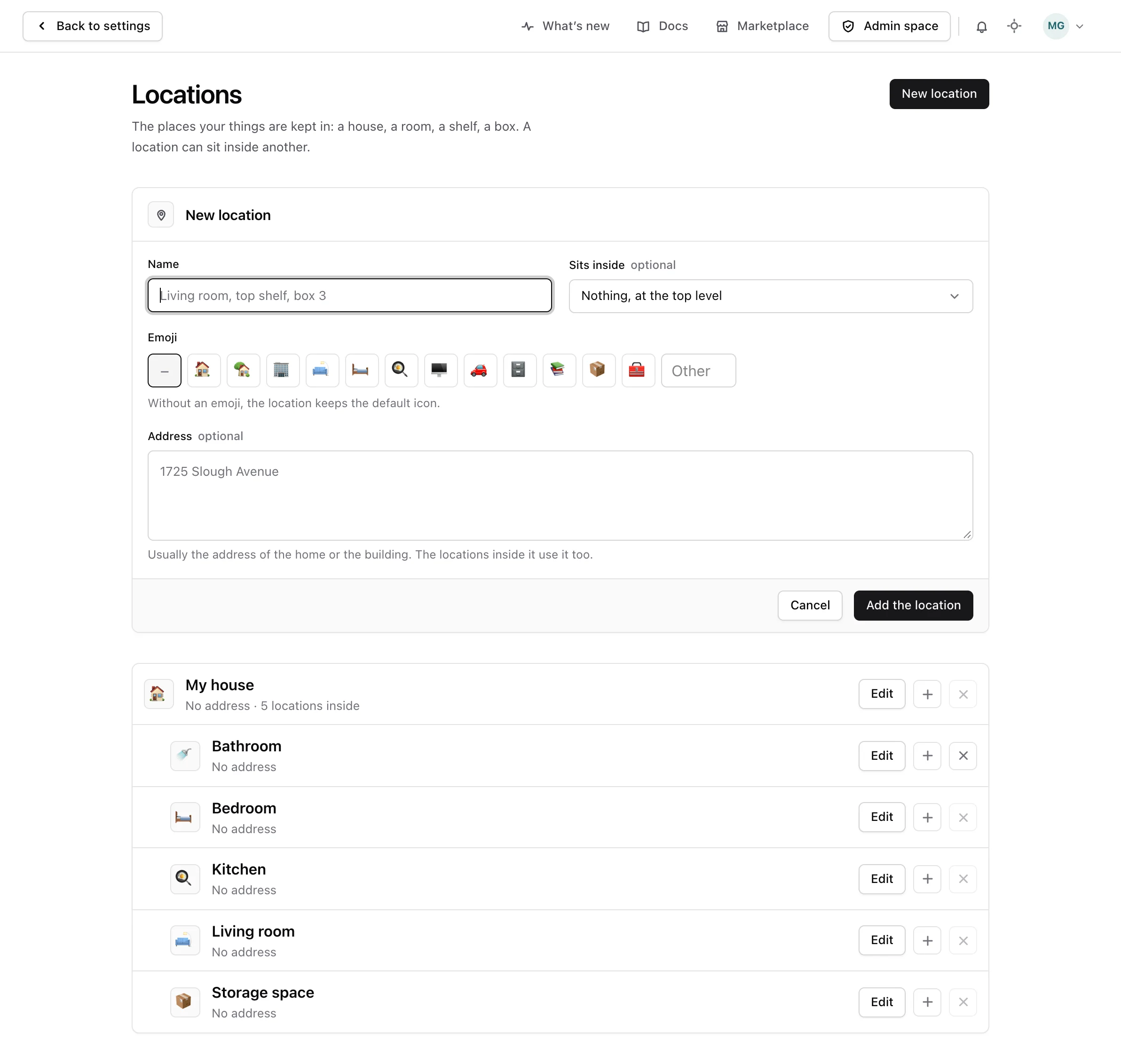
-
Give it a face
Pick an emoji, or choose Another emoji and type your own. Without one, the location keeps the default icon.
-
Add the address
Give an address to the home or the building only. Every location inside it uses that address, so a shelf never needs one of its own.
Move a location#
Choose Edit on a location and change what it sits inside. Everything inside it moves with it. A location can never be put inside itself, or inside one of the locations it holds.
Delete a location#
Choose Delete on a location. The button stays greyed out while the location holds others, and says how many. Move or delete those first. It also stays greyed out while a possession has stayed there, now or in the past, so the history of your possessions is never lost. Correct or delete those stays first. Deleting a location cannot be undone.
What goes in a location#
Locations are where the things you own will be kept, once the things themselves can be recorded. Until then, build the places you will need. The kinds of things, and the details each kind carries, are the possession types.