
Answer a reminder
When a reminder’s day comes, tell Monica whether you did what it was about. Your answer closes that date, stops anything still waiting to be sent for it, and is kept so you can see over time whom you keep in touch with.
Where reminders wait#
Each date a reminder falls on waits for your answer in three places:
- On the contact’s page. The Reminders panel of the Overview tab lists their dates, under All, Overdue, Today and Upcoming.
- On the contact’s reminders page. Choose All of Chandler’s reminders at the bottom of that panel. It adds a History of the dates already answered, and shows how many of them you remembered and forgot over the last 12 months.
- In the vault. In the vault’s sidebar, choose Reminders. Coming up lists every date still to come in the vault, with overdue ones first. Under Grouped by, choose When it is sent or Contact.
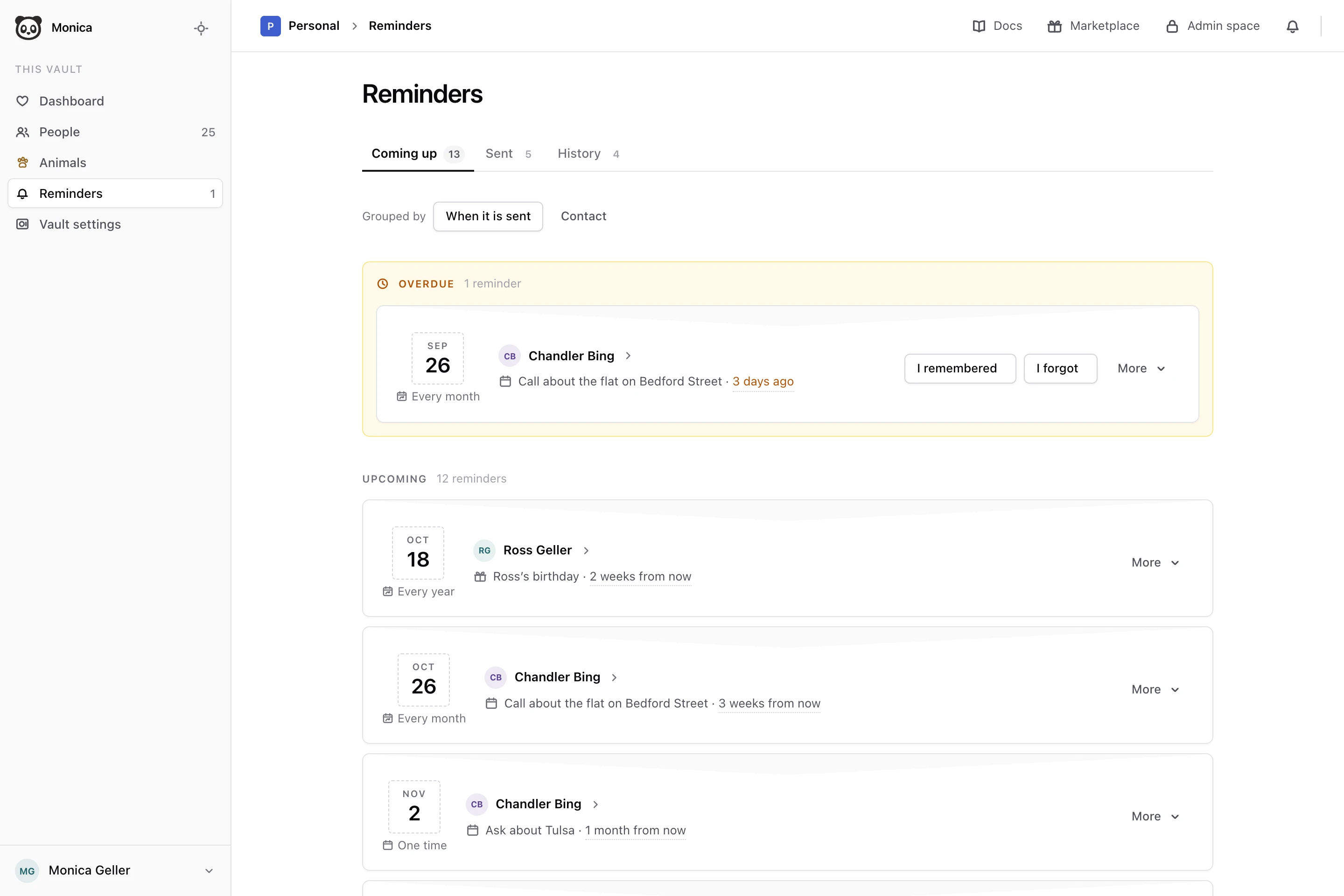
The vault’s Reminders also has two other tabs. Sent lists the reminders already delivered, and on which channel. History lists the answers you gave.
Ask an assistant what is coming up#
An assistant connected to Monica can answer the same question as the vault’s dashboard in one go: “What do I have to remember today and this week in my Friends vault?” It lists what is overdue, what falls today and what comes in the next seven days, for every contact and group of the vault. Ask for a longer stretch, up to a year, and it looks further ahead.
To ask about birthdays only, say so: “Whose birthday is it today, and whose is coming up?” The assistant then also finds the birthdays nobody asked to be reminded of, and tells you the age each person turns when the year of birth is known. A birthday written in a field marked sensitive stays hidden from an assistant.
Read Connect Monica to other tools to connect an assistant. A script can ask the same through the API.
Answer a date#
On the date, choose one of the two answers:
- I remembered, if you did what the reminder was about. You can choose it from the day itself.
- I forgot, if the day went by. You can choose it from the day after.
Monica says Kept as remembered or Kept as forgotten, and moves the date to the history.
An answer is final. Once you answer a date, you cannot change the answer, and nothing still waiting to be sent for that date goes out. The reminder itself carries on: a yearly birthday comes back next year, with a new date to answer.
A date you leave unanswered stays under Overdue. It does not stop the next dates from coming.
When a reminder stops#
A reminder can stop on its own, and its page then says why:
- Nothing is sent while the record is deleted. The contact it is about was deleted.
- This reminder has no date to follow. It read a date from a field, and the date was cleared. Write the date again on the contact, with Remind me about this date ticked, to build a new reminder.
- This reminder has no field to read. The field it read was taken off the contact’s template. Put the field back, and the reminder starts again on its own.
Next steps#
- Read How reminders reach you to know exactly when a reminder reaches you.
- Set another reminder.