
Set a reminder
Ask Monica to tell you about something to do with a person, on a day you choose, once or again and again.
Say Joey has an audition next week, and you want to remember to ask him how it went. You add a reminder on Joey’s page, and Monica tells you on the day.
A reminder always belongs to a contact. Monica tells you on the day itself, at the time you choose, once on each channel you switched on. It never sends anything ahead of the day.
Birthdays and other dates#
You do not need this page for a birthday. When you write a date in a contact’s section, such as Birthday, tick Remind me about this date, and Monica builds the reminder from the date itself. Record your first person shows how. A reminder built this way follows the date: change the birthday, and the reminder moves with it.
Use the steps below for everything else.
Add a reminder#
-
Open the form
On Joey’s page, choose the Overview tab. In the Reminders panel, choose Add. A short form opens in the panel.
For the full form, choose All of Joey’s reminders at the bottom of the panel, then Add a reminder.
-
Say what it is about
In What it should say, type
Ask Joey how the audition went. This is the text of the notification you receive.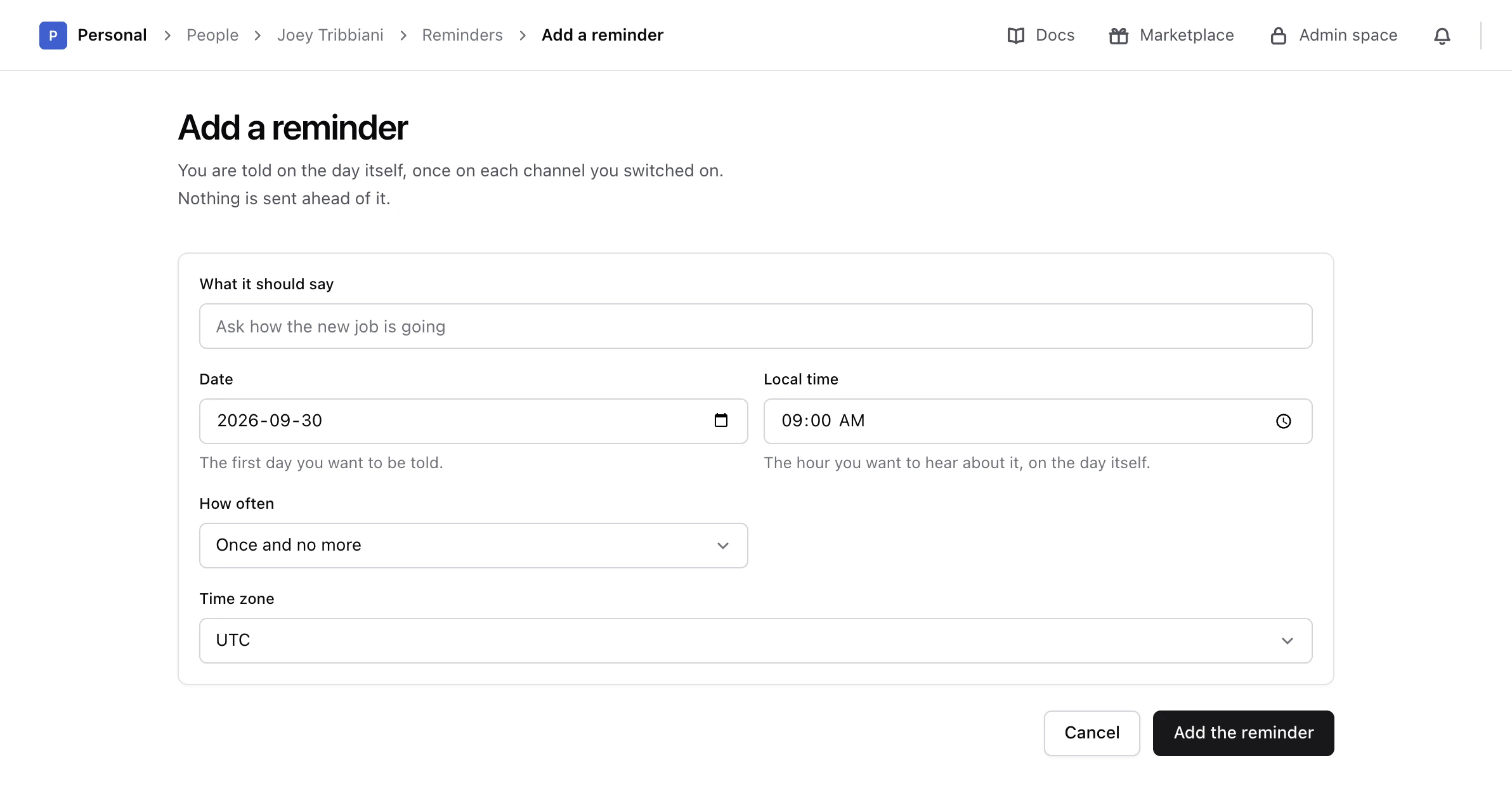
-
Choose the day
In Date, choose the first day you want to be told. It cannot be in the past, and if you choose today, the time you pick must still be to come.
-
Choose how often
In How often, choose Once and no more, Every week, Every month or Every year. For a repeating reminder, Every so many sets the gap: Every month with
3tells you every three months. -
Choose the time
In Local time, choose the hour you want to hear about it. The default is 9:00. In the short form, choose Change next to Notification time to see the time and the time zone.
-
Add it
Choose Add the reminder, or Add reminder in the short form.
Monica says The reminder is added, and lists it in the contact’s Reminders panel and in the vault’s Reminders.
Time zones#
Each reminder has its own time zone, set to yours when you add it. It keeps that zone afterwards, even if you change your own time zone later or travel. A reminder for 9:00 in New York arrives at 9:00 in New York, wherever you are.
Choose another zone in Time zone when the day belongs to somewhere else, for example a friend’s birthday on the other side of the world.
Change or delete a reminder#
On the contact’s reminders page, open the menu of the reminder and choose Edit. You can change anything on the form. Changing the date, the time, the time zone or how often cancels the dates still to come and plans new ones from the new schedule. Answers you already gave are kept.
A reminder built from a date field has no date of its own to edit. Change the date in the contact’s section instead, or untick Remind me about this date to stop it.
Warning
Deleting a reminder cannot be undone. Nothing further is sent, and dates still waiting for an answer are dropped. The answers you already gave are kept.
To delete it, open the menu of the reminder and choose Delete, then Delete the reminder.
Try it before the day#
To see what a reminder looks like when it arrives, open the vault’s Reminders, choose More on the reminder, then Send me a test and Send it. Monica emails it to you straight away. Nothing else changes, and the real one still arrives on the day.
Next steps#
- Answer the reminder when the day comes.
- Choose how you are notified.