
Record how a possession is insured
An insurance record says who insures one of your possessions, for how much, and until when. Each record covers one policy period, so the list of records is the history of how the possession was covered.
Monica Geller insures her grandmother’s ring with her home insurance for $1,900, listed individually, until 1 January 2027. When the policy renews at a new value, she adds a new record and marks the old one expired.
Open a possession and choose Insurance in the list of its sections, right under Transactions. The number beside it says how many records it holds.
Why it matters#
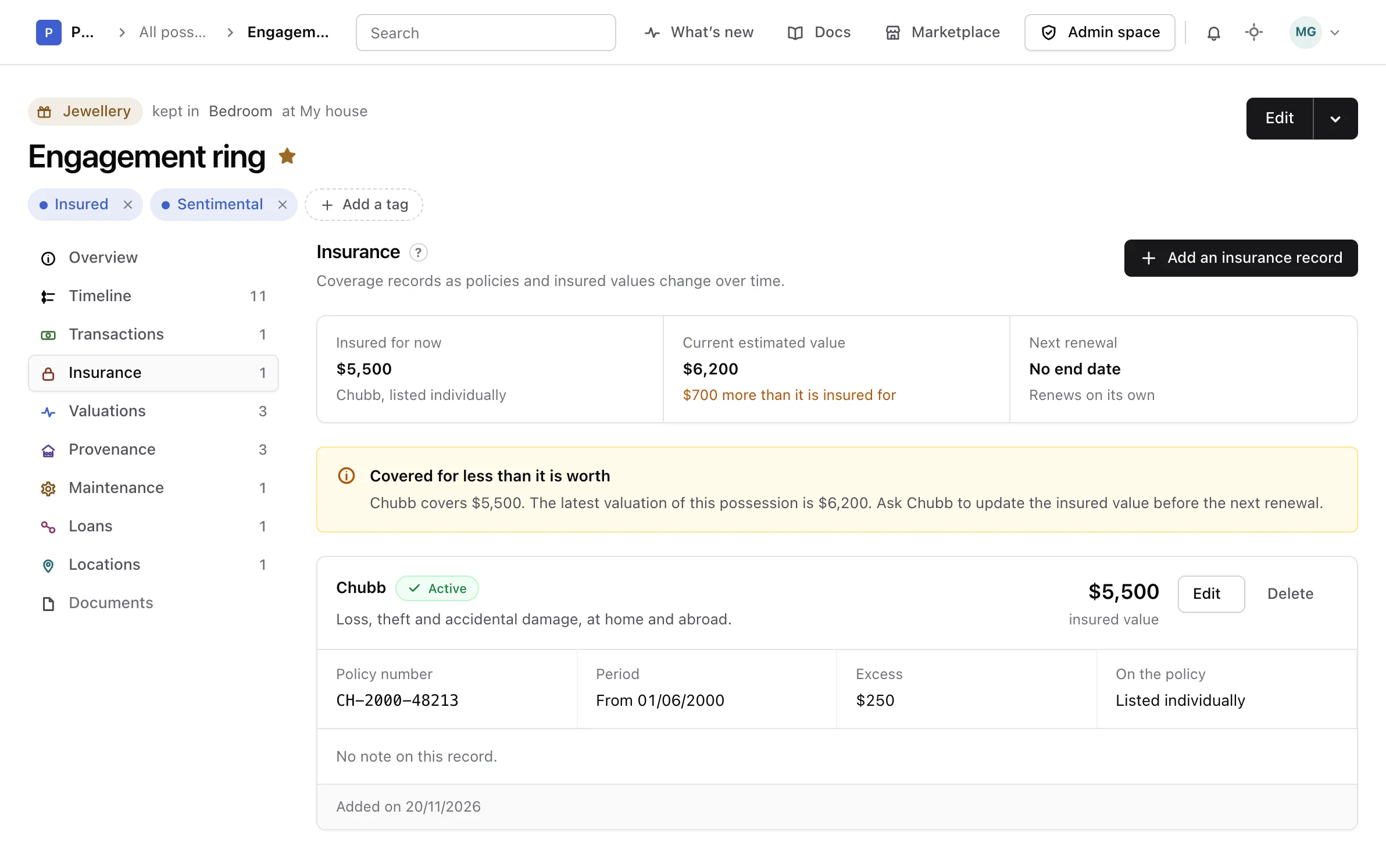
The top of the section reads the cover back:
- Insured for now: the insured value of the active record, the insurer, and whether the possession is listed individually or under the general contents of the home.
- Current estimated value: the latest valuation of the possession, or its declared value while it has none, and how it compares to the insured value.
- Next renewal: the day the active record ends or renews, and how far away it is.
When the possession is insured for less than that value, a warning says by how much and suggests asking the insurer to update the insured value before the renewal. The two values are compared only when they are in the same currency. Nothing is ever converted.
The Overview of the possession reads its Insured line from the same record.
Add a record#
-
Open the form
In Insurance, choose Add an insurance record.
-
Name the insurer and the status
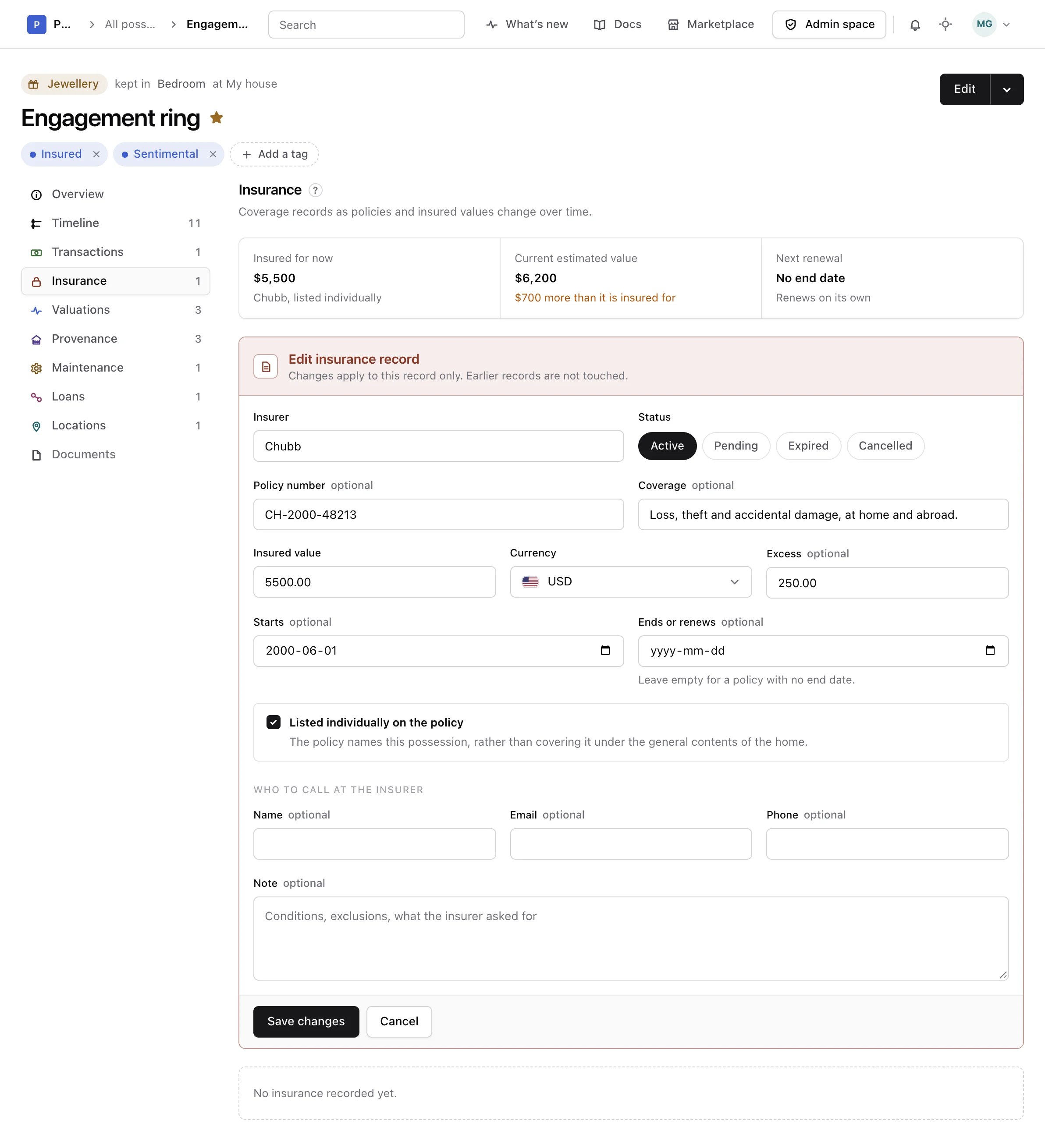
Write the Insurer and pick a Status: active, pending, expired or cancelled. The status is the one you choose; it does not change on its own when the end date passes.
-
Enter the value and the dates
Fill in the Insured value and its Currency, and the Excess if there is one. Add the day the period Starts and the day it Ends or renews, or leave the end empty for a policy with no end date.
-
Save it
Tick Listed individually on the policy when the policy names this possession. Add a policy number, what it covers, who to call at the insurer or a note if you like, then choose Add record.
The insurer, the status and the insured value with its currency are required.
Read the list#
Active records come first, then pending, expired and cancelled ones, the latest start first within each. Each record gives its insurer and status, what it covers, its insured value, its policy number, its period, its excess, whether it is listed individually, who to call, its note, and when it was added and last changed.
Correct or delete one#
When a policy renews with a new insured value, or you change insurer, add a new record rather than editing the old one. Choose Edit to correct a mistake in a record, change what you need, and choose Save changes. The other records are not touched.
Warning
Deleting a record cannot be undone, and the history of the coverage loses that policy period.
Choose Delete, read the warning, then choose Delete again, or Keep it to leave it as it was. Deleting a possession deletes its insurance records with it.
From the API or an assistant#
Insurance records can also be listed, added, changed and deleted through the API reference and by an assistant connected as the MCP guide explains.