
Record your first person
Add Rachel Green to your Personal vault, write down her birthday and her email address, link her to Ross Geller, and let Monica remind you of her birthday every year.
This tutorial uses Rachel Green as the example. Follow it with somebody from your own life if you prefer: the steps are the same.
What you will learn#
Every person in Monica has a page, divided into tabs, and each tab holds sections such as Personal details or Contact information. You fill a section in when you know something, and leave it empty when you do not. Along the way you will see how a date you write down becomes a reminder.
Before you start#
You need an account, and your Personal vault open. If you have neither yet, follow Create your account first.
On monicahq.com’s free plan, each person in your list of people counts toward the number of people you can keep.
Step 1: Add Rachel#
-
Open the form for a new person
On the dashboard of your Personal vault, choose Add the first person. Once the vault holds somebody, the button reads Add somebody.
-
Enter her name
Type
Rachelin First name andGreenin Last name. Every other field on this form is optional, and you can leave them empty.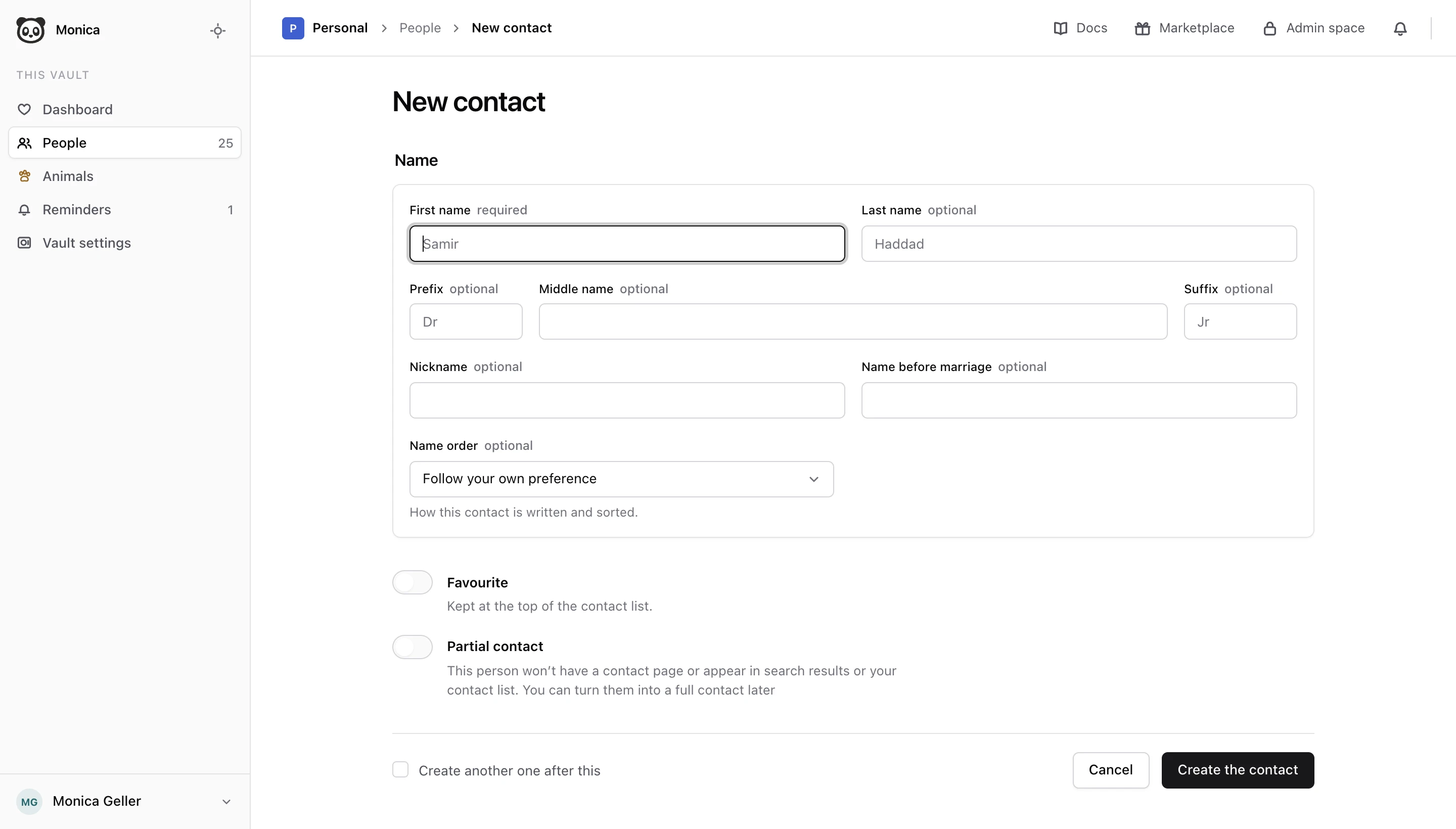
-
Create the contact
Choose Create the contact.
Check your work. Monica says Rachel Green is written down and opens Rachel’s page on its Overview tab. The rest of the page is empty, ready for what you know about her.
Step 2: Write down her birthday, and ask for a reminder#
A birthday is a date that comes back every year, so Monica can remind you of it. It does so only when you ask.
-
Open the General tab
At the top of Rachel’s page, choose the General tab. It holds the Personal details section.
-
Edit Personal details
In Personal details, choose Edit.
-
Enter the date
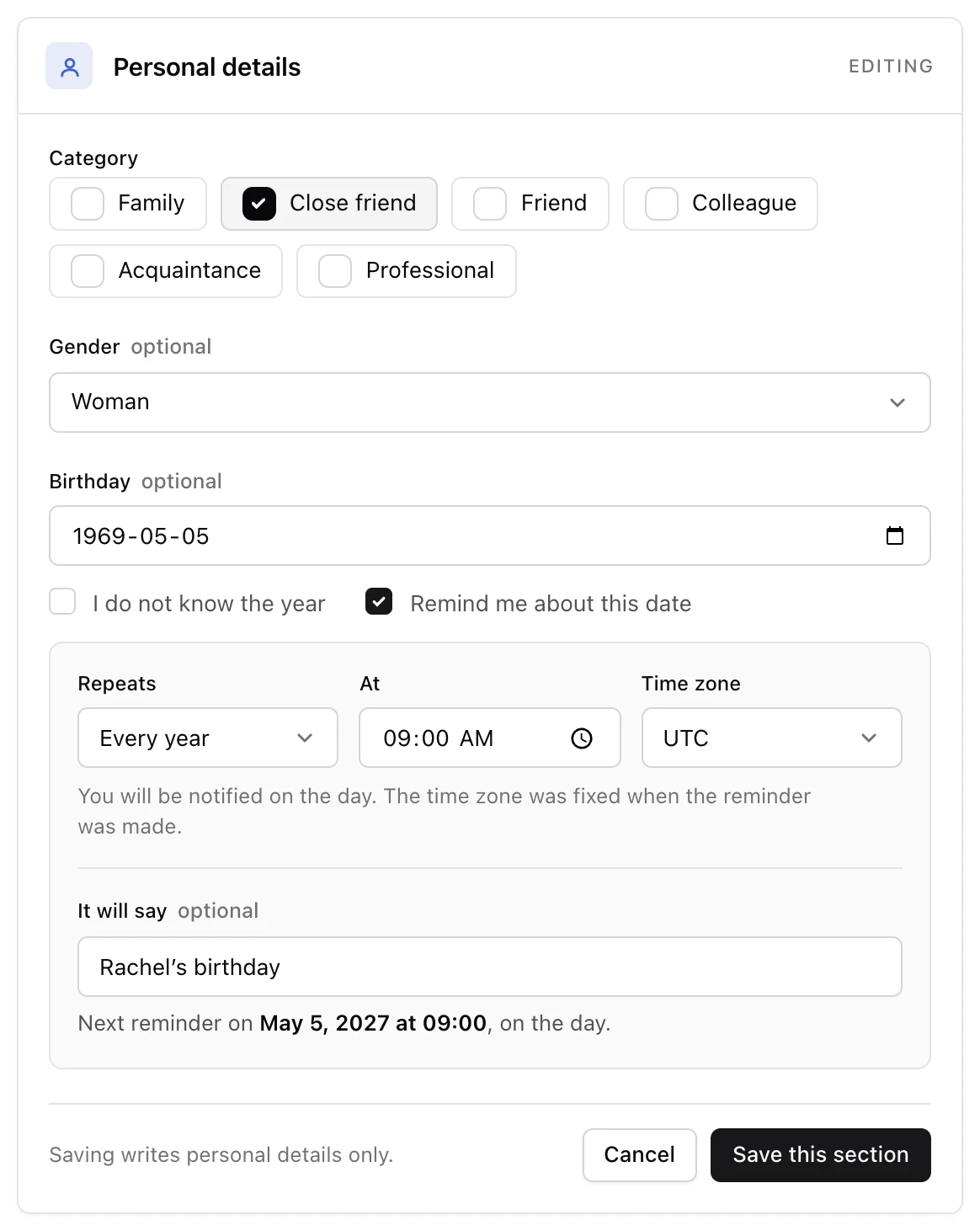
In Birthday, enter 5 May 1969. If you know the day but not the year, enter any year and tick I do not know the year.
-
Ask for a reminder
Tick Remind me about this date. Leave Repeats on Every year. You can also choose the time, the time zone, and what the reminder says in It will say.
-
Save the section
Choose Save this section.
Check your work. Personal details now shows Rachel’s birthday.
Step 3: Add her email address#
-
Open the Ways to connect tab
Choose the Ways to connect tab, then choose Edit in Contact information.
-
Enter the address
Under Emails, type
[email protected]. To add a second address later, you would choose Add another. -
Save the section
Choose Save this section.
Check your work. Contact information lists the address.
Step 4: Link her to Ross#
Rachel does not live in isolation. Linking her to Ross records how they know each other, and shows on both of their pages.
-
Open the Relationships tab
Choose the Relationships tab, then Add a relationship.
-
Choose the relationship
In Relationship type, choose Friend.
-
Name the other person
Choose I know their name, then type
Rossin First name andGellerin Last name. Ross does not need to be in Monica already: this form writes him down for you. -
Give Ross a page of his own
Tick Create a contact record for this person, so that Ross appears in your list of people like Rachel. Left off, Ross still gets a page, but stays out of that list and out of the count of the free plan.
-
Add the relationship
Choose Add relationship.
Check your work. Monica says The relationship is recorded and shows Ross on Rachel’s Relationships tab. You do not need to add the relationship again from Ross’s side: it reads from both pages at once.
Step 5: Find the reminder#
-
Look on Rachel’s page
Choose the Overview tab. The Reminders panel lists her birthday.
-
Look in the vault
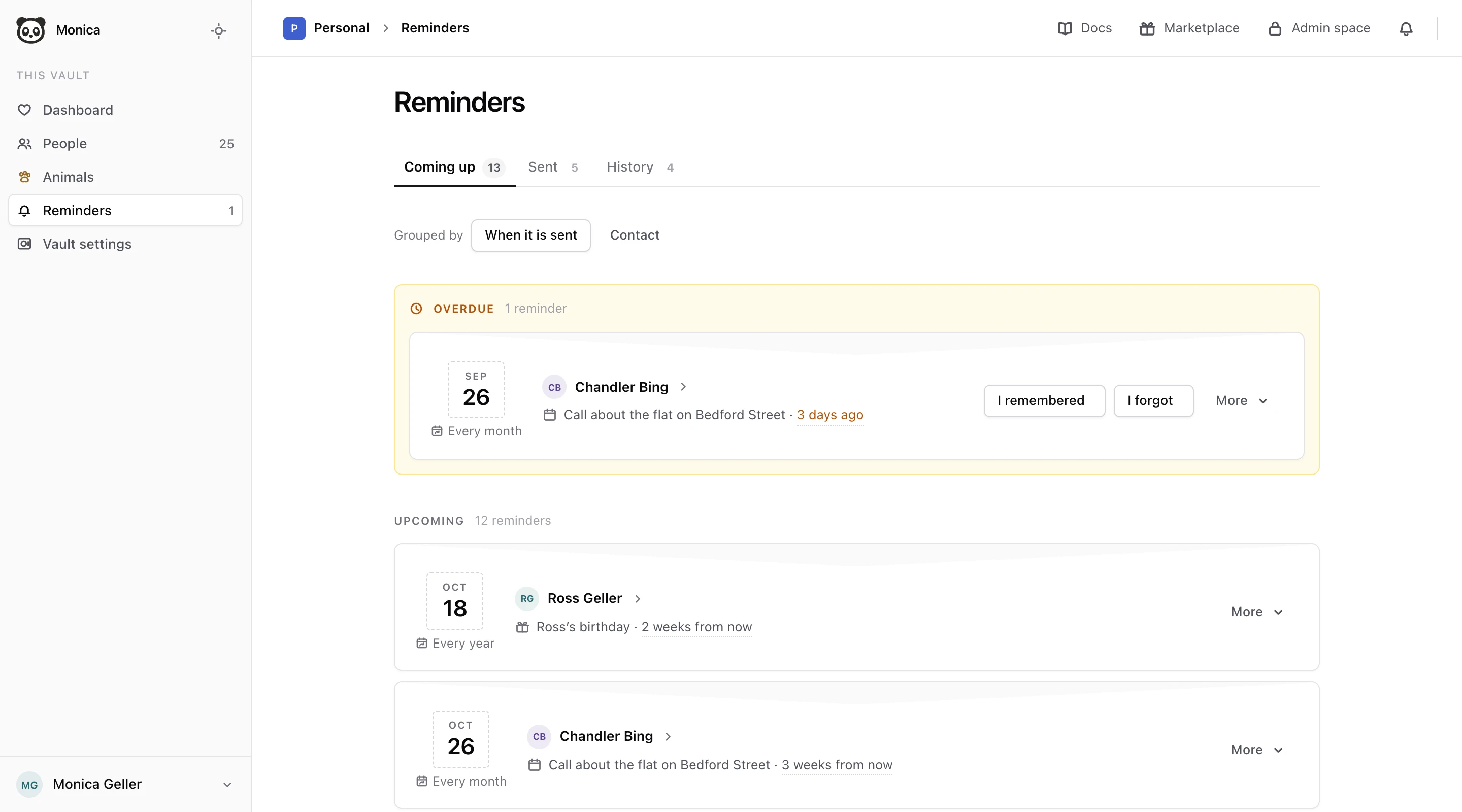
In the vault’s sidebar, choose Reminders. The Coming up tab lists Rachel’s birthday among everything Monica will remind you of in this vault.
What you did#
Rachel Green now has a page with her birthday and her email address, Ross Geller is recorded as her friend, and Monica will remind you of her birthday every year.
If a step did not match what you see:
- No Remind me about this date box. It appears only on date fields, while the section is in edit mode. Choose Edit in Personal details first.
- No reminder listed. Open Personal details again and check that Remind me about this date is ticked. Saving the section with the box unticked removes the reminder, and keeps the date.
- Ross is missing from your list of people. Create a contact record for this person was left off. His page still exists, and Rachel’s Relationships tab leads to it.
Next steps#
- Read How Monica is organised to see where Rachel, Ross and your vault fit in the whole.
- Add the rest of your friends and family the same way. People covers everything else you can do with the people you record.