
Merge two contacts
When one person has two records, merge them. One record stays, and the other is absorbed into it: its answers, its photo, its reminders and its sharing links come over. Nothing is thrown away, and you can undo the merge.
Say your phone synced a second Phoebe Buffay, with her work email, next to the Phoebe you wrote by hand. You keep your own record, and bring the other one into it.
Choose which record stays#
The record whose page you start from is the one that stays. Its name, its address and its template are kept. So start from the better of the two, usually the one you filled in yourself.
The contact that stands for you can stay, but it can never be absorbed into another contact.
Move relationships and life events first#
A merge brings over what is written on the other record, but not its relationships or the life events it takes part in. Those stay with the absorbed record, out of sight.
Before you merge, open the Relationships tab of the record that goes, and add each of its relationships again on the record that stays, then remove them from the one that goes. For its life events, open each one from the record that goes, and add the person who stays under Who was there. Change or end a relationship and Record something that happened show how.
Merge them#
-
Start from the record that stays
On Phoebe’s page, open the menu next to Edit contact and choose Merge. If Monica suggested the pair, you can instead choose Compare them on the list of possible duplicates, as Review possible duplicates explains.
-
Pick the other record
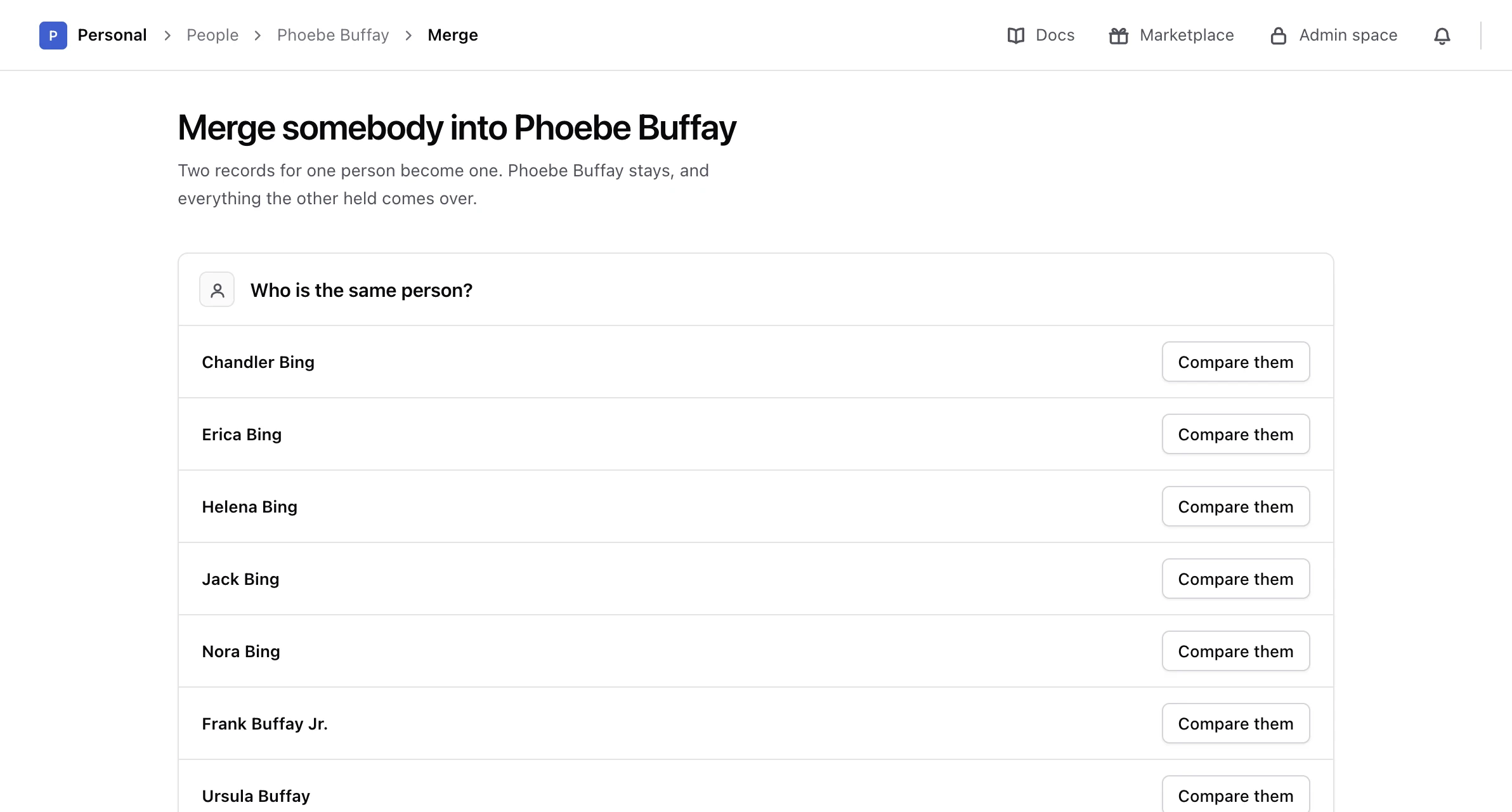
The screen Merge somebody into Phoebe Buffay lists everybody else in the vault, under Who is the same person? Choose Compare them next to the second record.
-
Settle what they disagree on
Monica shows the two records side by side. Where both hold a different answer to the same question, it says These two records disagree here. Which one is right? Pick the answer to keep.
-
Settle what they both hold
Where both hold the same entry, such as the same email address, Monica shows The same entry twice. Choose Keep it once or Keep both entries.
-
Check what comes over
Under What comes over, Monica counts the answers, entries, reminders and sharing links that move to the record that stays, and the other records that will point to it instead.
-
Merge
Read This absorbs a contact, then choose Merge Phoebe Buffay into Phoebe Buffay, with the names of your two records. To go back, choose Choose somebody else.
Monica says Phoebe Buffay is one contact now, and that everything the other record held came over. When the two records disagree nowhere, the comparison says Nothing to decide, and you only need to confirm.
What happens to the other record#
- It no longer appears in the vault.
- Its answers, its photo, its reminders and its sharing links now belong to the record that stays, and its sharing links keep working. A field elsewhere that named it, such as a pet’s Caregivers, now names the record that stays.
- Answers to questions the record that stays does not ask are set aside, not thrown away. Monica lists them under Set aside rather than shown before you merge, and you find them later in Answers to questions no longer asked. Change what you know about somebody shows where.
- Its old address still works. It opens a page saying where the person is now, with a button to open the record that stays.
- If the record that stays was a partial contact, it becomes a full one.
Undo a merge#
After a merge, the record that stays shows This record absorbed another, with the name of the absorbed contact.
-
Open the record that stays
Open the contact the other record was merged into.
-
Undo it
Choose Undo the merge.
Monica says The merge is undone: both people are back, each holding what they held before. Answers, reminders and sharing links go back to the record they came from.
The undo stays available with no time limit, but only for the latest merge into a record, and only while both records still exist. Once the record that stays is deleted, the merge can no longer be undone.
Next steps#
- Review the other possible duplicates.
- Find people in a vault to check the result.