
Keep a record of a pet or anything else
Not everything you want to remember is a person. Ross had a monkey called Marcel, and you might want to note his species, his birthday, and who looks after him. Monica keeps records like this as profiles.
Profiles and contacts#
A profile is a record of something that is not a person. Each profile belongs to a kind of profile, and Monica prepares one kind for you: Animals. You can create other kinds in your account settings, under Kinds of profile.
A profile differs from a contact in two ways:
- Relationships connect contacts only, so a profile never appears on a contact’s Relationships tab. A pet is linked to its people through its own fields instead, such as Caregivers. The contact’s page then lists the pet under Profiles, with what the person is to it, such as Owner.
- Profiles do not count toward the free plan on monicahq.com, which counts contacts.
How Monica is organised explains how profiles fit with vaults and contacts.
Add a pet#
Each kind of profile has its own entry in the vault’s sidebar, under Your relationships, after People. A kind appears only in a vault that is set up for it: the kind is turned on, and the vault has a published template for it.
-
Open the list of animals
In the vault’s sidebar, choose Animals, then Add Animal.
-
Pick the template
Under What this record starts from, Monica has chosen Basic animal, the vault’s template. Choose Animal instead to keep more about Marcel: his character, what he likes and fears, his food and routine, his health and his documents. The form changes to show what the template you picked asks. This step stays here only when there is more than one template to pick from.
-
Enter the name
Type
Marcelin Name. It is the only required field.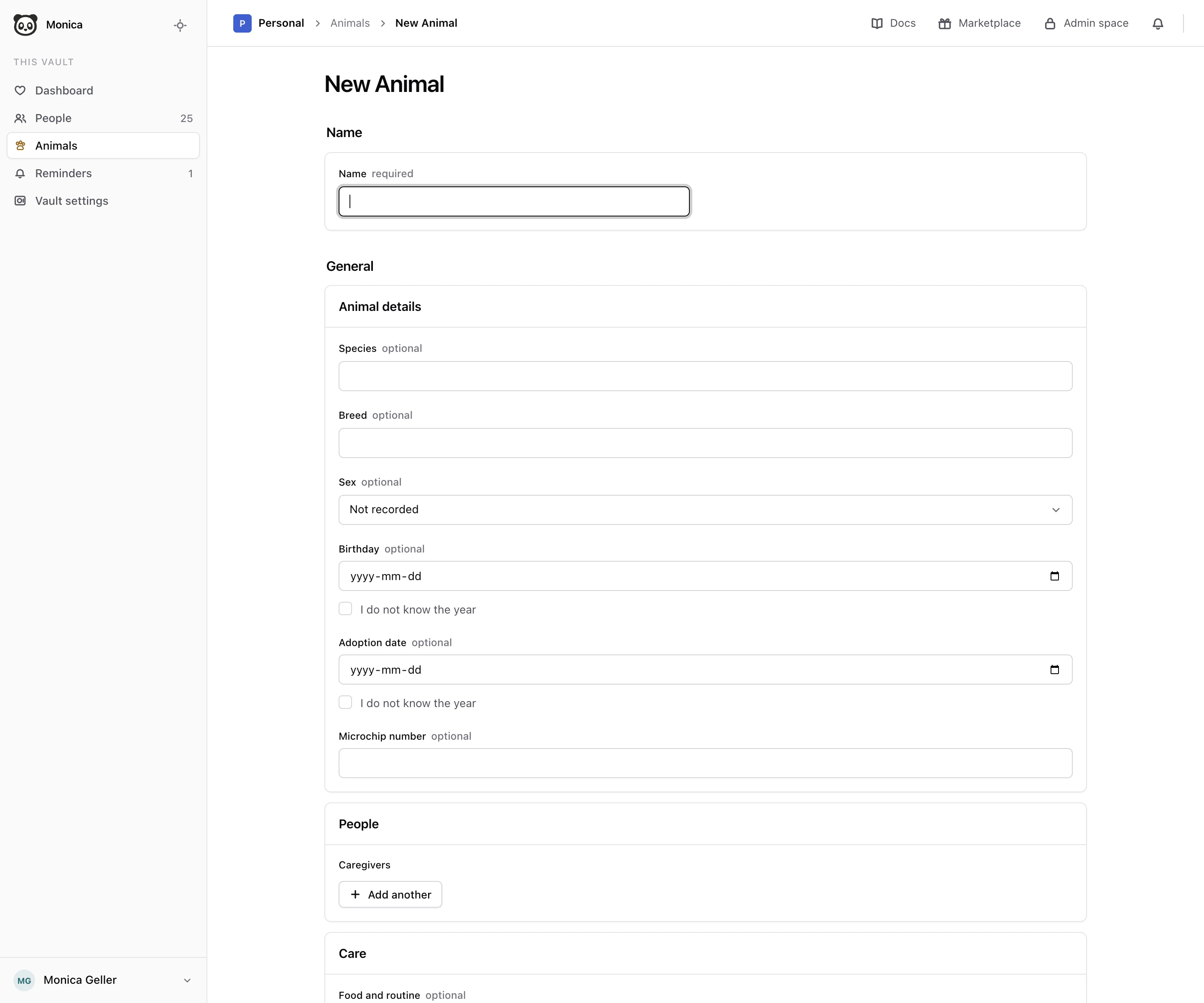
-
Fill in the details
In Animal details, fill in what you know: Species, Breed, Sex, Birthday, Adoption date and Microchip number. If you know the day of a date but not the year, tick I do not know the year.
-
Name who looks after him
Under Caregivers, choose Add another. In Person, pick Ross Geller from your contacts, and in Role, type what he is to Marcel, such as
Owner. -
Save
Choose Save.
Monica says Marcel is written down and lists him under Animals. The form also offers Care, for food, routine and health notes, and Notes. These sections come from the Basic animal template. On the Animal template, the same details sit under Identity and the form has two pages, Profile and Daily life and care.
Open a profile#
In the list of Animals, choose Marcel. His page shows everything written down about him, laid out the way his template arranges it. Under his name, Monica repeats the few fields his template highlights: on Animal, his species, breed and date of birth.
- On the left, Pages lists the pages of the template, with how many fields each holds. Choose one to see its sections. Under the list, Monica names the template and the version Marcel was written with.
- On the right, each section is a box of labelled lines, such as Species and Birthday in Animal details. A field nobody filled in stays on its line and reads Not recorded, so you can see what is still missing.
A caregiver you named is a link to their contact page, and Marcel appears under Profiles on that page, so you can go from one to the other.
Correct a profile#
-
Open the form
On Marcel’s page, choose Edit. The form shows every field of his template, filled with what is written down.
-
Change what is wrong
Correct the name or any field. Empty a field to remove what it held.
-
Save
Choose Save. Monica says Marcel is saved and shows his page again.
Correcting a profile never moves it to a newer version of its template. If the Basic animal template gained a field since Marcel was written down, his form still asks what his own version asks.
You cannot delete a profile from the web yet.
When a kind of profile is missing from the sidebar#
The kind is turned off in your account settings, or the vault has no published template for it. Turn it on again under Kinds of profile, and check that its template, Basic animal for animals, is published and turned on. Profiles already written down are kept either way, and search still finds them.
When Add is unavailable#
The list of a kind of profile says why when you cannot add to it:
- This type is turned off. The kind of profile is switched off in your account settings. Turn it on again under Kinds of profile.
- Nothing can be added until this vault has a published template. The vault has no published template for this kind of profile. In your account settings, check that the template, Basic animal for animals, is published and turned on.
Next steps#
- Add the people who look after your pets, so you can name them as caregivers.
- Read How Monica is organised to see where profiles sit among vaults and contacts.