
Create a kind of profile
A profile keeps a record of something that is not a person. Monica starts you with one kind, Animals, and you can create others, such as Plants or Companies. Keep a record of a pet or anything else explains profiles, and How Monica is organised how they fit with contacts.
Open your settings, and under Personalisation choose Contacts and more. Contacts is listed first, marked Built in: it is the kind every vault keeps, and it cannot be deleted.
Create a kind of profile#
-
Open the form
Choose Create a profile type.
-
Name it
In Name, singular, type
Plant, and in Name, plural, typePlants. The Slug is made from the name if you leave it empty.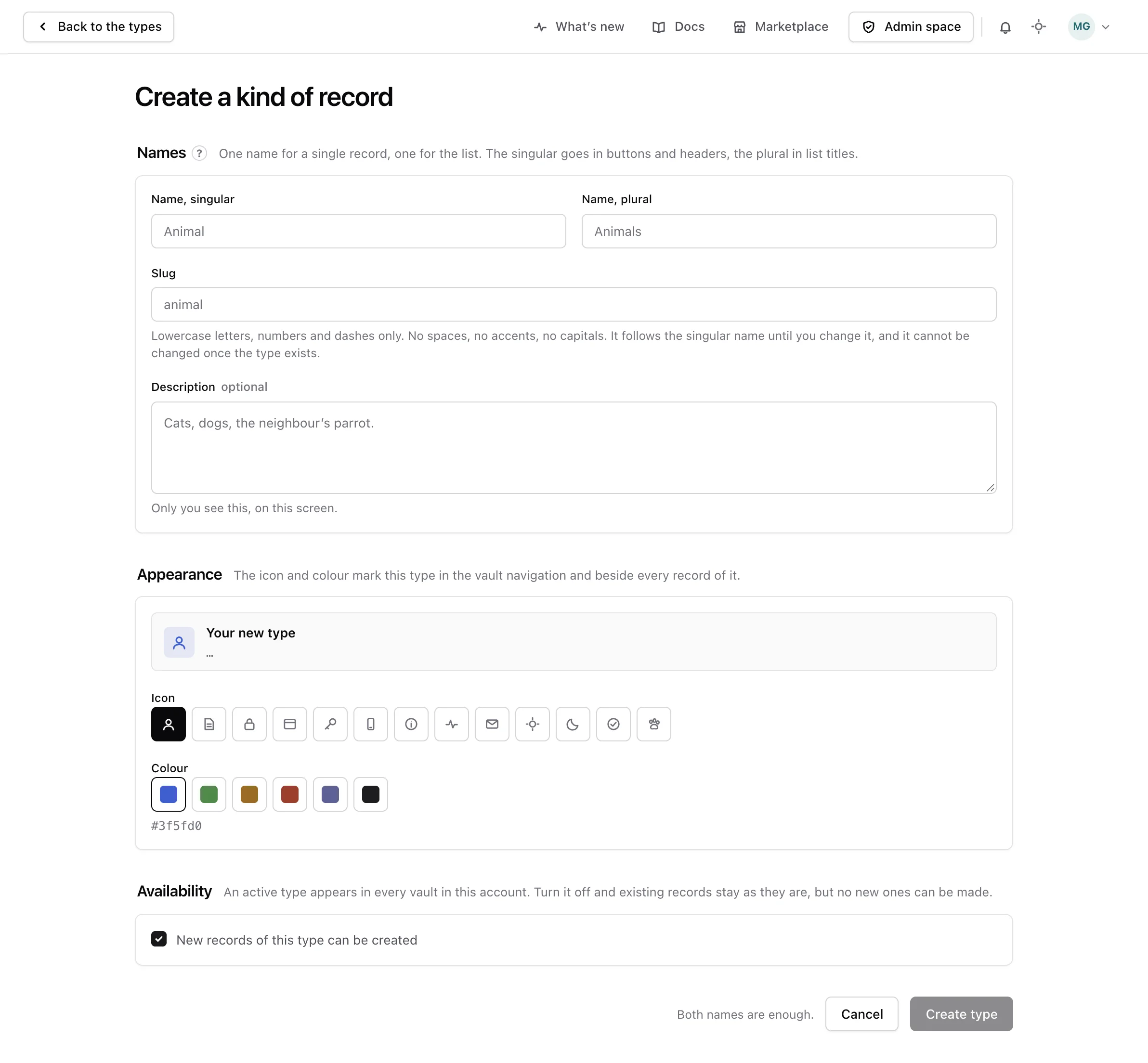
-
Choose how it looks
Pick an Icon and a Colour. They mark this kind of profile in the vault’s sidebar.
-
Create it
Leave New records of this type can be created on, and choose Create type.
Monica says The type is created.
Note
A new kind of profile appears in a vault’s sidebar only once that vault has a published template for it, and there is no screen yet to give a vault that template. Today, only Animals is set up in every vault, with the Basic animal template, and Animal to pick instead.
Once saved, a profile appears in its list and opens on a page of its own, where you can read and correct it. Keep a record of a pet or anything else shows how.
Reorder, switch off or delete#
- Reorder. Drag a row to change the order the kinds appear in the vault’s sidebar.
- Switch off. On the kind, turn off New records of this type can be created. Nobody can add new ones, and the existing profiles stay.
- Delete. Choose Delete, then Delete the type. This works only while no profile of that kind exists. Otherwise Monica says The type still holds records and stays, and suggests switching it off instead.