
Tag the things you own
A possession tag is a word you will put on the things you own, to sort them across their types and where they are kept: Insured, To sell, Fragile. A type says what a thing is and a location says where it is; a tag says what you want to remember about it. Tags belong to your account, so every vault uses the same list.
Open your settings, and under Possessions choose Possession tags.
You put tags on a possession when you add it, and a tag you type there that the list does not hold yet joins it.
Add a tag#
-
Name it
Under Add a tag, type
Insuredin Name. A tag holds up to 50 characters.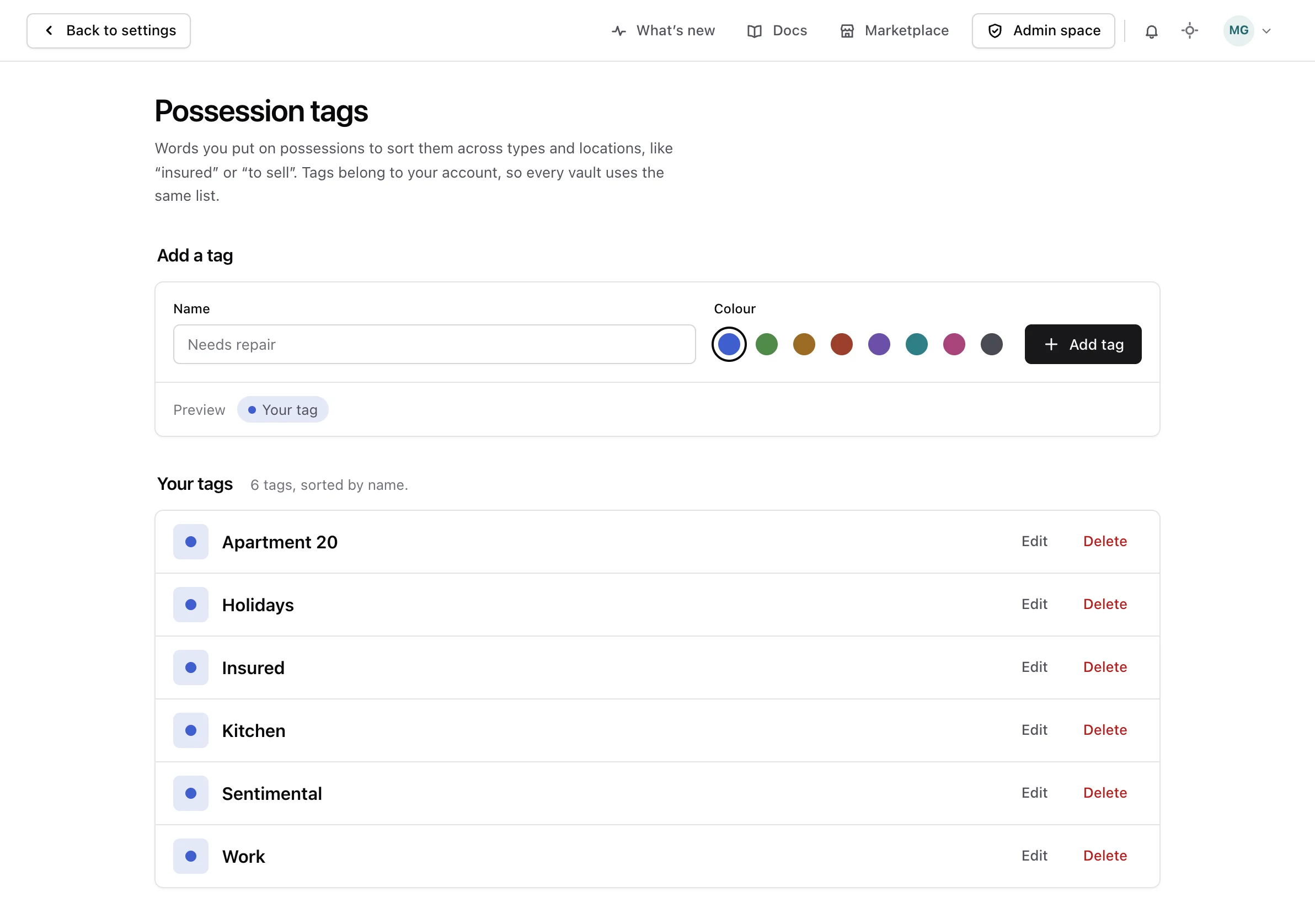
-
Pick its colour
Choose one of the eight colours under Colour. The preview below shows the tag as it will look.
-
Add it
Choose Add tag, or press Enter. The tag joins the list under Your tags, sorted by name.
Two tags cannot share a name, even written in different capitals: with Insured in the list, insured is refused.
Change or delete a tag#
Choose Edit on a tag to rename it or change its colour, then Save changes. Cancel, or the Escape key, leaves it as it was. Changing only the capitals of its own name is allowed.
Choose Delete on a tag, and confirm. The confirmation says how many possessions carry the tag; they lose it and keep everything else. The deletion cannot be undone.
From the API or an assistant#
Everything on this screen can also be done through the API reference and by an assistant connected as the MCP guide explains.