
Change or end a relationship
Relationships change. Ross and Rachel were together from November 1995, and broke up in February 1997. Rather than delete what they were, you record when it started and when it ended, and Monica keeps it as a past relationship.
Open a relationship#
-
Open the Relationships tab
On Ross’s page, choose the Relationships tab.
-
Show the controls
Next to the group the relationship is in, such as Romantic, choose Manage. Each row now shows Edit and Delete.
-
Edit the row
On Rachel’s row, choose Edit. The Edit this relationship screen opens.
Record when it started and ended#
-
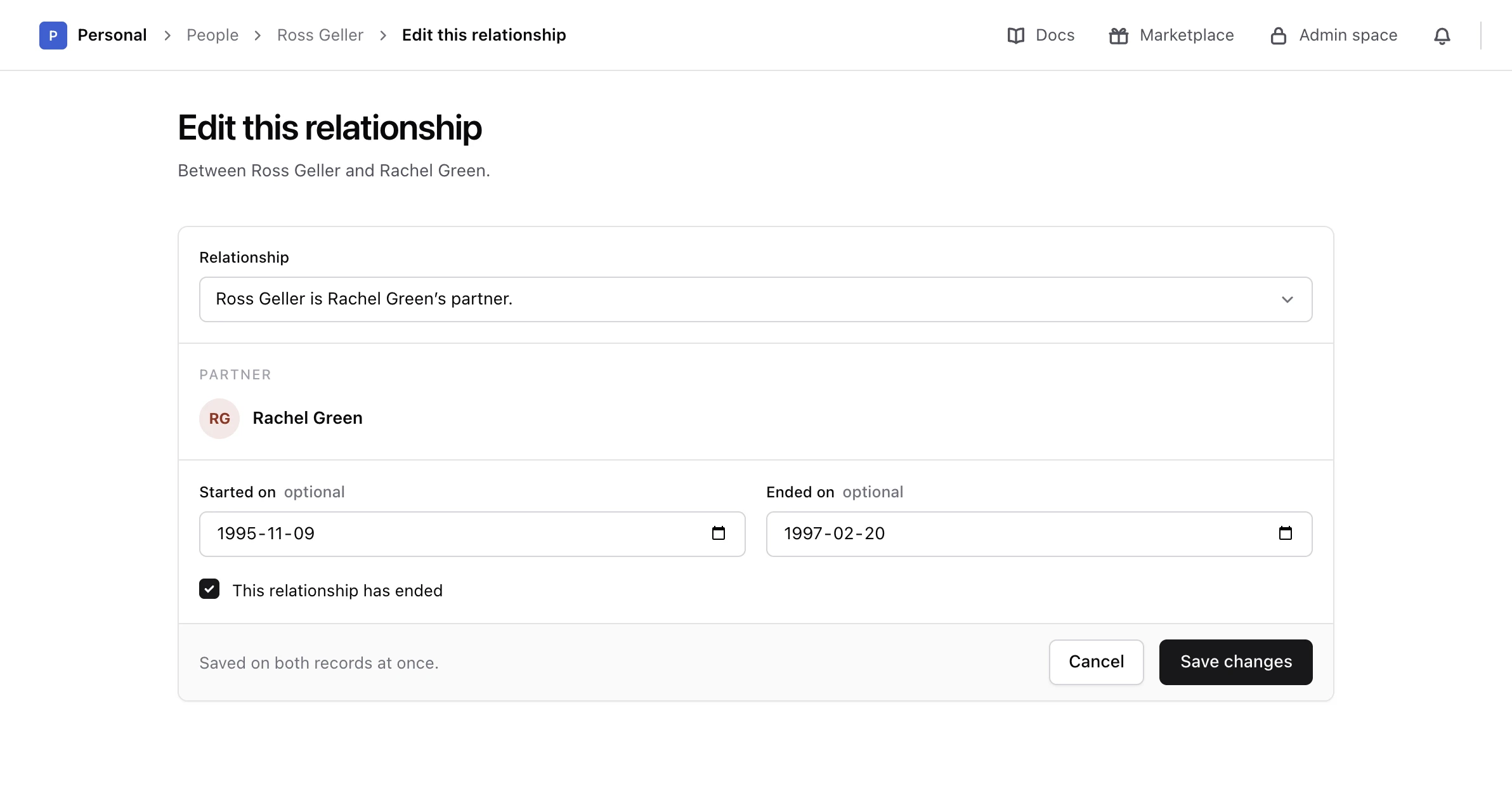
Enter the start
In Started on, enter 9 November 1995.
-
Mark it as ended
Tick This relationship has ended, then enter 20 February 1997 in Ended on.
-
Save
Choose Save changes.
Monica says The relationship is changed. Rachel’s row now shows Ended and the two dates, on both pages.
Both dates are optional, and the end cannot fall before the start. Ended on counts only when This relationship has ended is ticked: untick it, and Monica clears the end date and treats the relationship as current again.
Immediate family and the Family tree show current partners only, so an ended partnership, marriage or engagement no longer appears in them. A parent stays a parent: ending a parent and child relationship does not take it off the family tree.
Change the type or the direction#
In Relationship, choose another type, or the same type read the other way round. Each choice is written as a sentence, such as Ross Geller is Rachel Green’s partner, so you can see who holds which role before you save. A relationship that happened again later, like Ross and Rachel getting back together in 2004, is best recorded as a second relationship, so each period keeps its own dates.
Name somebody you did not know#
When the other person was written down without a name, or without a record of their own, the edit screen also lets you fix that:
- Choose I know their name now and type their name.
- Tick Create a contact record for this person to move them from the partial contacts into your list of people.
Remove a relationship#
On the row, choose Delete. Monica asks Remove this relationship? and explains that the link is taken off both records, and that neither person is deleted. Choose Remove it to confirm.
The two people stay exactly as they were, with everything else written about them. Only the link between them goes. To keep a record of a relationship that is over, mark it as ended instead.
Next steps#
- Link two more people.
- Record the day it happened as a life event.