
Choose how you are notified
A channel is a way for Monica to reach you. Every reminder that falls due goes out once on each channel you switch on, so you choose your channels once, not for each reminder.
To see them, open your settings and choose Notifications.
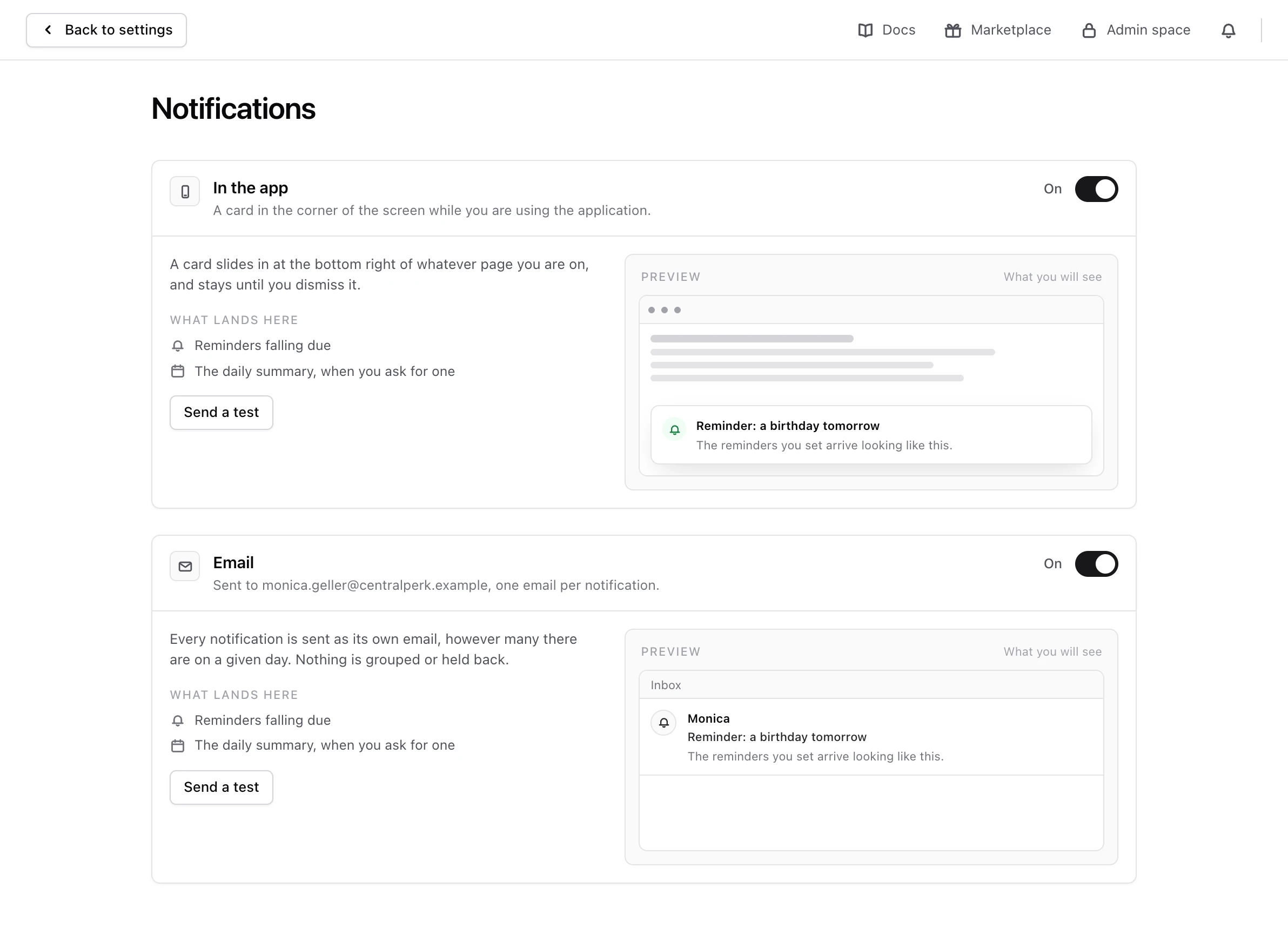
The channels#
- In the app. A card slides in at the bottom right of whatever page you are on, and stays until you dismiss it. It reaches you only while you are using Monica. It is on from the start.
- Email. One email per notification, sent to the address you sign in with. It is on from the start.
- Telegram. A message in a conversation with Monica’s bot.
- Text message. A short text message to a phone number you give.
Telegram and text messages appear only when whoever runs your Monica has set them up. If you do not see them, your instance does not offer them.
Each channel carries the reminders that fall due, and the daily summary if you asked for one.
Switch a channel on or off#
Use the switch next to the channel’s name. Monica saves the change straight away.
When a channel is the only one still working, a note under it says so, because switching it off means nothing reaches you at all. You can still switch it off: Monica keeps recording your reminders, and you see them when you open the app.
What switching off email does not stop#
The Email channel carries only reminders and the daily summary. Emails about your account always go to the address you sign in with, whatever this screen says: sign in links, password changes, security warnings, and the email saying Monica switched a channel off.
Check that a channel works#
Choose Send a test on the channel. Monica says A test message is on its way, and sends one on that channel only. If the channel refuses it, Monica shows what came back.
Connect Telegram#
-
Start the connection
In Telegram, choose Connect Telegram. Telegram opens a conversation with Monica’s bot.
-
Start the conversation
In Telegram, start the conversation with the bot. The bot tells Monica where to send, so there is nothing to type.
-
Check the connection
Back in Notifications, Telegram says Connected and is switched on for you. Choose Send a test.
To send to another Telegram conversation later, choose Connect a different conversation.
Connect a phone for text messages#
A text message provider accepts any number, even a wrong one, so Monica asks you to prove the number is yours before it sends anything.
-
Enter the number
In Text message, type your number in Phone number, with its country code, such as
+1 212 555 0120. -
Ask for a code
Choose Send me a code. Monica texts a six digit code to the number.
-
Type the code back
In The code, type the code, then choose Confirm. By default, the code works for 10 minutes, and you have five tries. If it expired or you used your tries, choose Send another code: the new code replaces the old one. You can ask once a minute, and three codes in all for one number.
-
Switch it on
Switch the channel on, then choose Send a test.
Warning
Use a number that is yours alone. Anybody who can read the messages on it will read everything Monica tells you.
Remove a number or a Telegram conversation#
When you change phone, or stop using Telegram, choose Remove the setup under the channel. Monica asks you to confirm, then erases the number or forgets the conversation and switches the channel off. Nothing more is sent there, not even a notification that was waiting. To use the channel again, set it up from the start.
If text messages are no longer offered on your account, the notice that says your number is kept offers Remove the number.
When Monica switches a channel off#
If nothing gets through on a channel several times in a row, Monica switches it off and emails you to say so. The channel then says Switched off after it stopped working, with what came back. Fix the cause, such as a phone number that changed, then switch it back on. How reminders reach you explains the retries.
Quiet hours and a daily summary#
Holding notifications at night, or folding a day’s notifications into one summary, is set through the API today. This screen does not change them yet.
Next steps#
- Read notifications in the app.
- Set a reminder to try your channels.